


Google Analytics teams often outgrow one-person permission management. Googleâs emerging User Groups API offers a more structured route: administrators can create organization-level groups, add members, and manage access through a central identity layer. For companies with marketing, sales, agency, or reporting teams, this could make the Google Analytics User Groups Admin API setup for scalable team access easier to govern.
The relevant documentation is part of Google Marketing Platformâs v1alpha Admin API, updated September 18, 2026. Its organizations.userGroups methods support creating, listing, retrieving, updating, and deleting user groups. The related organizations.userGroups.members methods manage group membership. A group includes a display name and description, while members can be individual user email addresses or nested user groups. The API also distinguishes owner and member roles.
What the Google Analytics User Groups Admin API changes
Instead of granting similar permissions repeatedly to individual users, an organization can define groups such as âAnalytics Editors,â âAgency Reporting,â or âRegional Managers.â When a person joins or leaves a team, administrators can update membership rather than rebuild every access assignment. Nested groups may also help represent departments or operating regions, subject to the permissions available in the target organization.
The API endpoint is marketingplatformadmin.googleapis.com. Depending on the operation, applications require the marketingplatformadmin.analytics.read or marketingplatformadmin.analytics.update OAuth scope. That means a successful integration needs more than a script: it needs carefully limited credentials, an approved authentication flow, and an administrator who understands the organizationâs role model.
Plan the setup before assigning access
Start by mapping real responsibilities to a small number of groups. Define who owns membership, which users need reporting access, and which changes require review. Keep group names descriptive and avoid using broad administrative roles for routine analytics work. Teams planning a connected dashboard, CRM, or reporting workflow can also review Techno Particlesâ application development services for implementation considerations.
Build a controlled implementation workflow
A practical Google Analytics User Groups Admin API setup for scalable team access should begin with a non-production test organization or a narrowly scoped pilot. First, enable the required Google APIs in the project that will run the integration. Then choose an authentication model: OAuth is suitable when an administrator authorizes access interactively, while a service account may fit a controlled backend workflow if it has the necessary Analytics access and organizational approval.
- Define the group structure: Record each groupâs purpose, owner, description, expected members, and business role before creating it through
organizations.userGroups. - Create and verify groups: Use the API to create the group, then retrieve or list it to confirm its identifier, display name, and description.
- Manage membership: Add individual email addresses or approved nested groups through
organizations.userGroups.members. Treat membership changes as auditable administrative events. - Assign only required roles: Review available organization access bindings and keep elevated roles such as
ORG_ADMIN_ROLEorUSER_ADMIN_ROLElimited to responsible administrators.
Separate groups from direct Analytics access
One important implementation detail is that Googleâs separate Google Analytics Admin API documents AccessBinding resources for direct user permissions, with the access target described as a user email. The User Groups API therefore should not automatically be treated as a replacement for every Analytics permission assignment. Confirm how the target Google Marketing Platform organization connects group membership with its available access bindings before designing an automated provisioning flow.
Validate permissions and failure paths
Test read operations before update operations, and request only the OAuth scope required for each job. Verify behavior when a user is removed, an email is invalid, a nested group creates a conflict, or an administrator lacks authority. Because these surfaces are v1alpha, document the observed responses and recheck Googleâs documentation before each production release.
For a reporting portal, CRM connection, or internal access-management tool, teams can also review project consultation services while mapping authentication, audit logs, and approval workflows.
Google Analytics User Groups Admin API Setup for Scalable Team Access - Techno Particles
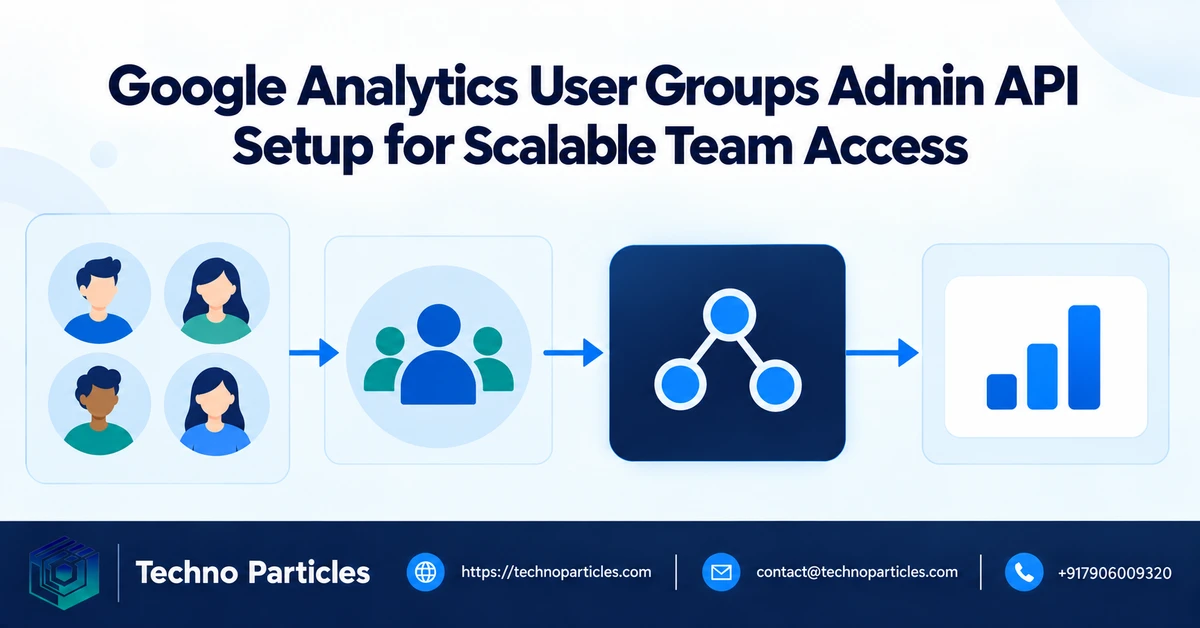
Operational safeguards for scalable team access
After the pilot, document the relationship between each user group and the organization role it receives. A simple access register should identify the group owner, business purpose, permitted administrators, review interval, and systems that depend on the membership. This makes the Google Analytics User Groups Admin API setup for scalable team access easier to review when responsibilities change or a project ends.
Keep creation, membership, and role assignment as separate workflow stages. An automation job can first confirm that the requested group exists, then compare the approved membership list with the current members returned by the API. Only after that comparison should it add or remove members. This design helps reduce accidental changes caused by stale spreadsheets, duplicate requests, or incomplete onboarding records.
Use least privilege in the application
Use the read scope for inventory and reporting tasks when updates are unnecessary. Reserve the update scope for a controlled job that has a clear approval path. Store credentials securely, restrict who can trigger membership changes, and retain an audit record containing the request, operator, timestamp, affected group, and result. Service-account use should be validated against the organizationâs Analytics access and Googleâs current authentication requirements.
Also plan for API and identity exceptions. A departed employee may still appear in an approved list, a nested group may be unavailable, or a role assignment may not behave as expected across the relevant administration surfaces. The integration should report these cases clearly instead of silently treating a failed update as completed.
What teams should verify before production
- Confirm the organization can access the v1alpha User Groups methods.
- Test both group membership changes and organization role bindings.
- Verify whether the required Analytics permission is inherited or must be assigned separately.
- Review Googleâs current documentation before deploying changes to a live access workflow.
Businesses connecting analytics administration with a custom dashboard or internal operations platform can evaluate employee management software services for related approval and workforce workflows.
Build a reviewable access workflow
A reliable Google Analytics User Groups Admin API setup for scalable team access should connect every change to an approved business request. Instead of allowing an application to modify memberships whenever a source spreadsheet changes, place a review step between the requested state and the API call. The reviewer should confirm the organization, group, proposed members, requested role, and reason for access.
After approval, the integration can read the current group and membership records, compare them with the approved state, and create only the necessary changes. Record successful and failed operations separately. This makes it easier to investigate an invalid email, an unavailable nested group, or a permission error without assuming that the entire synchronization completed.
Design for ownership and offboarding
Every group should have a named owner and a backup administrator. The owner is responsible for confirming that the group still serves its documented purpose and that its organization role remains appropriate. Set a review interval that matches the risk of the access, with more frequent checks for groups connected to administrative capabilities.
Offboarding deserves its own test case. When an employee leaves, the workflow should identify direct membership, inherited membership through nested groups, and any separately assigned Analytics access. Removing a person from one group may not remove permissions granted through another administration surface, so the resulting access state must be checked rather than inferred.
Measure the automation before expanding it
During the pilot, track practical signals such as rejected requests, failed API calls, unresolved identities, approval time, and changes requiring manual correction. These measures reveal whether the integration is reducing administrative effort or simply moving errors into a less visible system. Keep the initial rollout limited to a small set of groups and organization roles until the observed behavior matches the documented design.
Teams building a custom reporting or operations interface can also review application development services when the workflow needs a secure admin panel, approval queue, or audit view.

Document the Google Analytics User Groups Admin API setup for scalable team access
Once the pilot produces consistent results, document the final operating model before adding more teams. The record should identify each groupâs purpose, owner, backup owner, organization role, approved members, and review date. Keep the group description meaningful enough that another administrator can understand why access exists without inspecting application code.
Separate the desired access state from the API execution logic. An approved request should define the organization, group, members, and requested role. The integration can then retrieve the current group and membership records, calculate the difference, and submit only the required operations. This approach makes retries safer and helps administrators distinguish a genuine permission failure from a temporary system problem.
Test nested groups and role boundaries
Nested user groups can reduce repetitive membership updates, but they also make access harder to trace. Test whether the organizationâs intended role is granted through the expected group and whether inherited membership appears clearly in administrative reviews. Do not assume that a userâs presence in a group automatically grants access across every Google Analytics administration surface.
This distinction matters because Googleâs separate Analytics Admin API documents direct access bindings to a user email, while the Google Marketing Platform User Groups API manages organization user groups and their members. Treat these as related but separate permission paths until your target organization confirms the behavior.
Prepare a controlled rollout
- Start with non-critical groups and a small administrator cohort.
- Capture request, approval, API response, and verification details.
- Use alerts for failed changes, unresolved identities, and unexpected role results.
- Repeat offboarding tests before connecting the workflow to employee records.
A secure internal dashboard can make these approvals easier to review and audit. Teams that need help connecting administration workflows with business systems can explore project consultation services for implementation planning.
Before expanding the Google Analytics User Groups Admin API setup for scalable team access, compare observed behavior with Googleâs current v1alpha documentation and keep a rollback procedure ready for every automated change.
Turn the pilot into a repeatable access process
The next step is to make the Google Analytics User Groups Admin API setup for scalable team access understandable to people who did not build the integration. Write a short operating guide that explains how a request is submitted, who approves it, which organization and group are affected, and how the result is verified. Include examples of accepted member identities, supported roles, and common failure conditions without treating undocumented behavior as guaranteed.
Keep authentication and permissions under review as the integration matures. The documented API uses the marketingplatformadmin.googleapis.com endpoint and requires an appropriate OAuth scope, such as marketingplatformadmin.analytics.read for read operations or marketingplatformadmin.analytics.update when changes are made. Use the narrowest access practical for each workflow, protect credentials, and avoid placing tokens or member data in ordinary application logs.
Know where the model stops
The most important implementation boundary is between Google Marketing Platform organization groups and direct Google Analytics access bindings.


Leave a comment