

OpenAI has released GPT-6.1 Sol for complex coding and professional work, positioning it as a lower-cost alternative to GPT-6 Astra. The model became available on September 29, 2026, with the model ID gpt-6.1-sol. For developers building coding agents, the important change is not simply a new model name: Sol combines a 1.05-million-token context window with a maximum output of 128,000 tokens and built-in support for agent tools.
GPT-6.1 Sol supports low, medium, high, xhigh, and max reasoning effort levels. It can also work with structured outputs, function calling, hosted shell, apply patch, computer use, MCP, file search, and web search through the Responses API. OpenAI recommends that API for tool-based workflows, while Chat Completions is supported without tool calling.
Why GPT-6.1 Sol matters for coding agents
A coding agent can use Sol to inspect a repository, plan a change, edit files, run approved commands, and return structured results from one coordinated workflow. That makes the model relevant to teams building internal developer tools, automated QA systems, documentation assistants, and custom business software. It may also support practical work for companies planning application development services that connect AI agents to existing systems.
OpenAI’s standard pricing for prompts of up to 272,000 input tokens is $2 per million input tokens, with cached input priced at $0.10 per million, cache writes at $2.50 per million, and output at $10 per million. Longer prompts and processing tiers can change the final cost, so an agent should avoid sending an entire repository on every request.
A minimal GPT-6.1 Sol agent design
Begin with a narrow task contract: define which files the agent may access, which tools require approval, and what evidence it must provide after each change. Use lower reasoning effort for routine transformations, reserve higher levels for architectural or debugging work, and add prompt caching for stable instructions, schemas, and repository guidance.
GPT-6.1 Sol API setup for a controlled coding agent
A practical setup should separate model reasoning from tool permissions. The application can send a task to the Responses API with model: "gpt-6.1-sol", a defined reasoning effort, and only the tools required for that task. For example, a documentation agent may need file search and structured outputs, while a code-maintenance agent may additionally need hosted shell or apply patch.
Keep write operations behind an approval step. The agent should first inspect relevant files, explain its proposed change, and identify the commands it plans to run. Your application can then approve, reject, or narrow the request before allowing a patch or shell action. This design reduces the risk of unintended edits and creates a review trail for teams managing production software.
Balance reasoning effort, context, and cost
Use low or medium reasoning effort for formatting, repetitive refactoring, and straightforward test updates. High, xhigh, or max can be reserved for multi-file debugging, dependency analysis, or architectural changes where a deeper planning pass may be useful. These settings should be evaluated against your own tasks rather than treated as guaranteed quality levels.
The large context window is useful for repository maps, coding standards, test output, and selected source files, but it does not remove the need for context management. Keep stable instructions and schemas at the beginning of requests so prompt caching can help repeated workflows. Send targeted files and recent tool results instead of rebuilding the full repository context each time.
For asynchronous workloads such as nightly test analysis or documentation generation, compare batch or flex processing with standard requests after measuring latency requirements. Teams building these workflows alongside generative AI development services should also log token usage, tool calls, approval decisions, failed commands, and retry causes before expanding access.
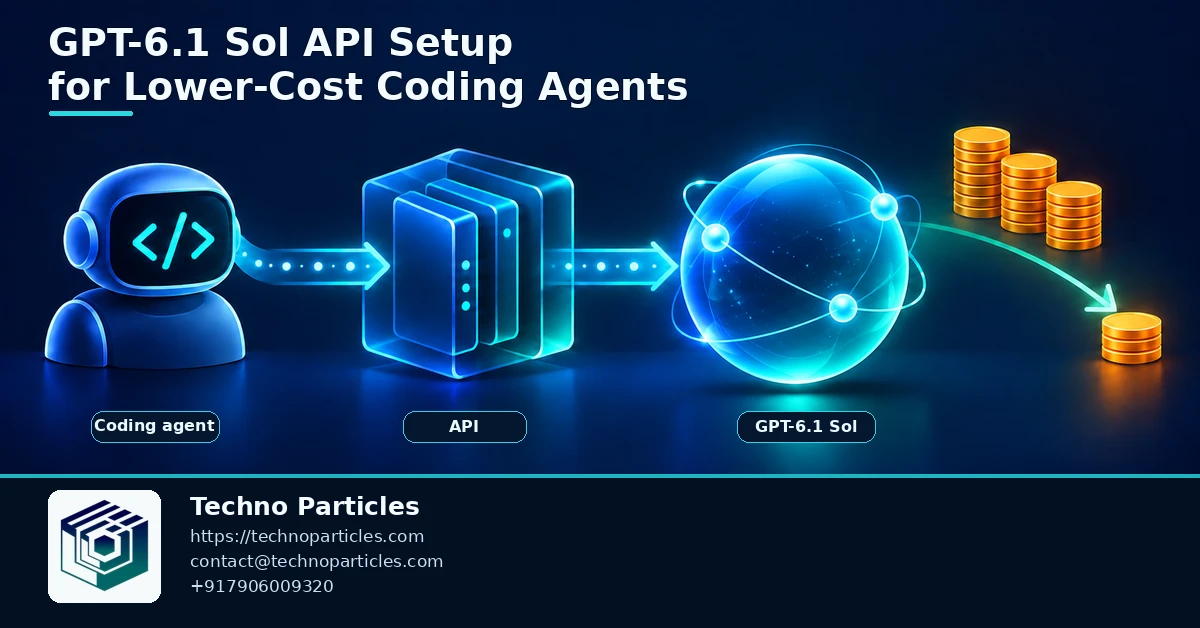
Turn the API call into a reviewable workflow
The safest GPT-6.1 Sol API setup treats the model as one part of a controlled software process. Start each task with a repository snapshot, a short objective, and explicit success criteria. Ask the agent to return a plan before it edits anything, including the files it expects to change, tests it will run, and assumptions that need confirmation.
Use structured outputs for predictable status reports such as plan, changed_files, commands_run, tests, and next_action. Your application can validate that response before displaying it or passing it to another service. Function calling is useful when the agent must request actions from issue trackers, deployment systems, or internal APIs, but each function should expose the smallest practical permission set.
Protect secrets and limit tool access
Do not place API keys, production credentials, or unrestricted environment access in the model’s working context. Run shell commands in an isolated environment, apply timeouts, restrict network access where possible, and capture stdout, stderr, and exit codes. For apply-patch operations, validate file paths and review the resulting diff before merging.
MCP can connect the agent to approved tools and business data, but every server adds another trust boundary. Maintain an allowlist, document what each tool can read or change, and revoke unused connections. This is especially important when a coding agent is later connected to CMS, CRM, or deployment workflows through a broader project consultation process.
Measure before choosing the cheaper path
Track task completion, review corrections, latency, input tokens, cached tokens, output tokens, and tool failures. Compare GPT-6.1 Sol with GPT-6 Astra on representative repository tasks rather than assuming OpenAI’s near-Astra positioning applies equally to every codebase. GPT-6.1 Sol may suit quality-sensitive automation, while GPT-6 Luna can be tested for high-volume tasks where lower cost is the dominant requirement.
Choose the right deployment pattern
Once the workflow is measured, route tasks according to their risk and complexity. GPT-6.1 Sol is a reasonable candidate for agents that must inspect several files, combine tool results, and produce a carefully reviewed patch. GPT-6 Astra remains the comparison point for work where maximum quality is more important than price, while GPT-6 Luna deserves testing for repetitive, high-volume jobs with simpler decision paths.
Keep the routing rule explicit in application code. A small bug fix might begin with GPT-6.1 Sol at medium reasoning effort, then escalate only when tests fail, the requested change spans multiple services, or the agent reports unresolved uncertainty. This approach limits unnecessary high-effort calls without assuming that every task has the same cost or quality profile.
Build retry and rollback paths
Tool-enabled agents need recovery logic as well as a successful path. Store the original task, model response, tool arguments, command results, and patch diff for each run. If a command times out or a test fails, ask the agent to diagnose the specific failure instead of automatically repeating the entire request. After a limited number of attempts, return the task to a human reviewer.
For customer-facing or business-critical systems, place the agent behind a service layer that handles authentication, rate limits, usage budgets, and audit logging. The same layer can redact sensitive data before requests are sent and enforce separate policies for development, staging, and production environments. Teams implementing these controls as part of application development services should define ownership for prompts, tools, logs, and approval rules before launch.
Test the setup on representative repositories
Create an evaluation set containing routine edits, failing tests, dependency upgrades, documentation changes, and ambiguous requests. Score not only whether code passes tests, but also whether the agent changed the correct files, respected permissions, explained its assumptions, and stopped when approval was required. Re-run the set after changing reasoning effort, context strategy, or model routing so cost and quality remain visible together.

Make the GPT-6.1 Sol API setup observable
A lower-cost coding agent is easier to trust when every decision can be reconstructed later. Give each run a unique identifier and record the model ID, reasoning effort, input size, cached input, output tokens, tool name, arguments, result, and final status. Keep sensitive values out of logs, but retain enough metadata to explain why a request became expensive or why a patch needed human intervention.
Set budgets at more than one level. A per-request token limit can prevent an unexpectedly large response, while daily and monthly ceilings protect the wider application from runaway retries. Add timeouts for shell and computer-use actions, and define what happens when the agent reaches a limit: pause for approval, return a partial plan, or hand the task to a human. These controls matter as much as the initial API call when the system operates across many repositories.
Use caching and processing tiers deliberately
Prompt caching can help when the same repository instructions, coding standards, or tool definitions are sent repeatedly. Keep stable instructions together and place changing task details later so the reusable portion remains useful. Measure cache hits rather than assuming they will occur. For non-urgent jobs such as nightly documentation, test summaries, or backlog classification, compare batch or flex processing with standard requests after establishing an acceptable completion window.
Teams extending this workflow into content operations, internal portals, or customer systems can connect the agent to a controlled CMS development workflow. Keep publishing, deployment, and destructive actions behind explicit approval gates; a successful model response is not the same as a verified business outcome.
Review the setup as requirements change
Revisit permissions, routing rules, evaluation tasks, and spending limits whenever the repository, tools, or user group changes. A configuration that is appropriate for an internal prototype may be too broad for production. Treat GPT-6.1 Sol as a component inside an auditable engineering workflow, with measured quality and clear human ownership.
Make the GPT-6.1 Sol API setup observable
A lower-cost coding agent is easier to trust when every decision can be reconstructed. Give each run a unique identifier and record the model ID, reasoning effort, input size, cached input, output tokens, tool name, arguments, result, and final status. Keep secrets out of logs, but retain enough metadata to explain unexpected costs, failed commands, or patches that required human review.
Set budgets at several levels. A per-request token limit can prevent oversized responses, while daily and monthly ceilings protect the application from runaway retries. Add timeouts for shell and computer-use actions, and define what happens when the agent reaches a limit: pause for approval, return a partial plan, or hand the task to a human. These controls become essential when the agent operates across multiple repositories.
Use caching and processing tiers deliberately
Prompt caching can help when repository instructions, coding standards, or tool definitions are sent repeatedly. Keep stable instructions together and place changing task details later so the reusable portion remains useful. Measure cache hits instead of assuming they will occur. For non-urgent jobs such as nightly documentation, test summaries, or backlog classification, compare batch or flex processing with standard requests after setting an acceptable completion window.
Review the setup as requirements change
Revisit permissions, routing rules, evaluation tasks, and spending limits whenever the repository, tools, or user group changes.



Leave a comment
Your email stays private. You can see your comment immediately on this browser. Others see it after approval.