

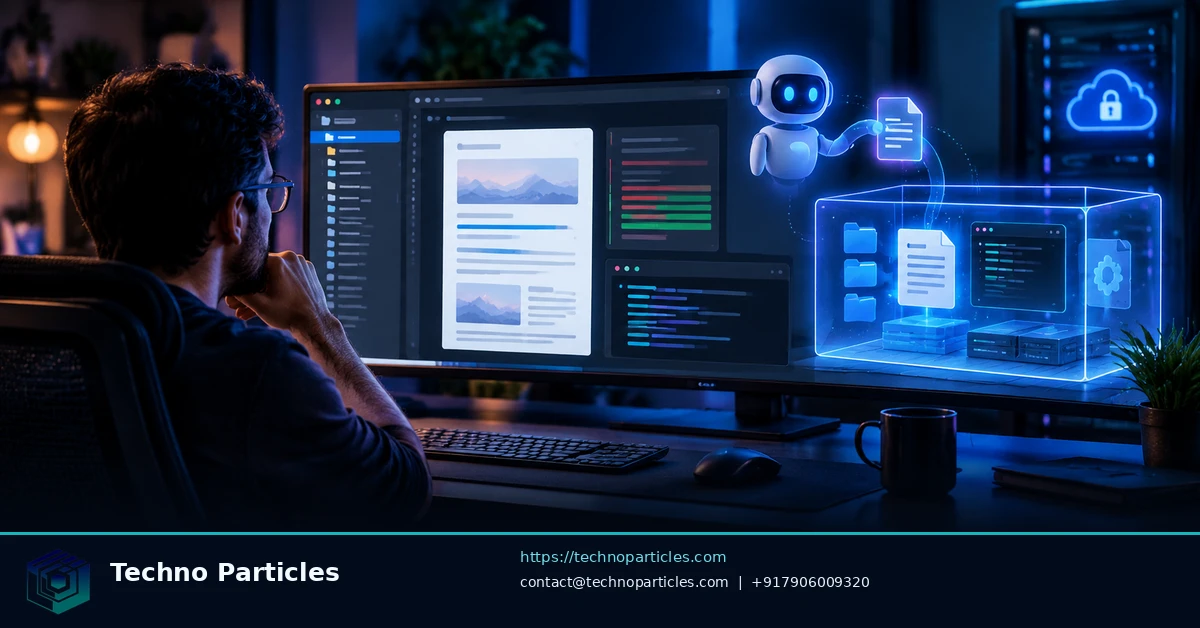
The OpenAI Agents API hosted sandbox gives document-editing workflows a managed Linux workspace where an agent can execute code, modify files and return downloadable artifacts. That makes it useful for repeatable transformations such as updating reports, preparing content packages or applying controlled formatting changes, without requiring your application to operate its own execution infrastructure.
OpenAI’s current Agents API documentation describes sessions, orchestration, context compaction, event streaming, MCP connectivity and optional execution environments. For file editing, the important choice is the environment: an agent needs an execution environment to work with files and create artifacts.
| Setup area | Hosted-sandbox behavior | Implementation consideration |
|---|---|---|
| Workspace | Linux environment rooted at /workspace | Prepare files and use predictable paths |
| Session files | Persist across turns while the sandbox exists | Reuse the session for multi-step edits |
| Network | Outbound access is restricted by default | Configure only the access the workflow needs |
| Results | Immutable artifacts can be written under /workspace/outputs | Retrieve and validate outputs before publishing |
How to prepare the hosted document-editing workflow
Start by creating an agent session with an OpenAI-hosted environment, then place the source document and any supporting assets inside the workspace. Your instructions should define the permitted files, the expected output path and the edits that are in scope. A narrow task specification helps separate legitimate document changes from accidental overwrites.
Package preparation matters because the documentation does not guarantee that every library or file-format tool is available in every environment. Identify required packages, test them against representative documents and decide whether the workflow needs network access. If external retrieval is unnecessary, keep the default restriction in place.
For broader planning around application and automation delivery, see the AI and automation services page. The hosted environment should be treated as a controlled processing stage: edit the file, write the result to /workspace/outputs, download the artifact, and validate formatting, permissions and content before distributing it.
Session reuse, artifact retrieval and cleanup
Once the source files are prepared, keep related edits in the same session while the hosted sandbox remains available. This allows the agent to inspect an earlier revision, apply a second formatting pass or respond to a reviewer’s correction without rebuilding the workspace from scratch. Your application should still track the session identifier and maintain its own record of which source and output files belong to each job.
Ask the agent to save final files beneath /workspace/outputs, then retrieve those immutable artifacts through the documented artifact flow. Treat the downloaded file as an untrusted intermediate until your application checks that it exists, opens successfully and matches the requested format. For DOCX, PDF or spreadsheet workflows, compare page structure, tables, images, styles and metadata against representative expectations rather than assuming that a successful code run means the document is publication-ready.
Network, permissions and review controls
Hosted containers have no outbound network access by default. If the workflow needs a remote reference, package repository or approved service, configure only the necessary access and record that decision. Avoid giving a document-editing task broader credentials than it needs, especially when source files contain customer, employee or financial information.
A practical approval sequence is: preserve the original, create a uniquely named output, run automated checks, inspect sensitive changes and request human approval before delivery. Keep publication, email or cloud-upload actions outside the editing step unless they are explicitly designed, permissioned and monitored.
For workflows that need requirements analysis, rollout planning or integration advice, the project consultation service is a relevant planning reference. The same separation of preparation, processing, validation and release also makes failures easier to diagnose.
When a self-hosted environment is the better fit
Choose self-hosted execution when the workflow depends on a private network, a custom image, specialised packages or direct infrastructure control. The hosted option is simpler for managed processing, but it does not remove the need to test file fidelity, retention behavior, package requirements and operational costs for the specific document workload.

Hosted, self-hosted or no environment?
The environment decision should follow the document workflow rather than the preferred deployment label. An OpenAI-hosted sandbox suits managed transformations where the application can upload source files, allow the agent to process them and retrieve the resulting artifacts. A self-hosted environment is more appropriate when documents must remain inside a private network, depend on a controlled operating-system image or require packages that cannot be assumed in a managed sandbox.
The no-environment option is useful for planning, drafting instructions or reasoning about document changes, but it is not a replacement for file execution. If the agent must inspect, modify or generate files, the application needs an execution path with suitable permissions and storage. Keeping this distinction clear prevents teams from designing a workflow that can describe an edit but cannot safely perform it.
| Requirement | Recommended approach | Why it matters |
|---|---|---|
| Managed file transformation | OpenAI-hosted sandbox | Reduces infrastructure work |
| Private data or internal systems | Self-hosted environment | Provides infrastructure control |
| Instructions without file execution | No environment | Limits operational complexity |
Validation before edited documents reach users
Validation should be designed around the actual file type and business risk. A basic check can confirm that the artifact exists, opens correctly and uses the expected extension. More demanding workflows should compare headings, tables, images, page breaks, formulas, styles and tracked changes with the source or a defined template.
Keep the original source immutable and assign each output a job identifier. Record the session, model instructions, package assumptions and validation result so a failed transformation can be reproduced. For customer-facing documents, add a human review step for sensitive wording, personal data and formatting defects.
Teams planning a broader integration can use the project consultation service as a reference for requirements, rollout and operational controls. The same checklist can then be adapted to document editing, reporting or other automation workloads.
Operational checklist for the hosted sandbox
A reliable OpenAI Agents API hosted sandbox workflow separates preparation, execution and release. Before creating a session, validate the input files, assign a job identifier and define the permitted output formats. Upload only the files required for the task, and provide clear instructions about which content may change, which elements must remain intact and where the result must be saved.
During execution, reuse the same session for related revisions while it remains available. This helps the agent inspect an earlier result and apply focused corrections without rebuilding the workspace. However, session persistence is temporary: hosted sandboxes may expire after a period without activity or keep-alives. Your application should therefore save important state outside the sandbox and avoid treating the session as long-term storage.
Retrieval, retention and release
Require final files to be written beneath /workspace/outputs, then retrieve the resulting artifacts through the documented flow. Keep the original source unchanged, store the downloaded result separately and check that the file opens successfully before any delivery step. For document-heavy workloads, validate headings, tables, images, styles, page breaks, formulas and metadata against representative examples.
Network access should be narrowly configured because hosted containers do not have outbound access by default. If a package repository, reference service or internal endpoint is necessary, approve only that connection and record the policy. Sensitive documents should also be protected through least-privilege credentials, controlled retention and explicit deletion of sessions after completion.
Before publication, email delivery or cloud upload, add automated checks and human review for personal data, confidential wording and formatting defects. Teams defining these controls can use the project consultation service as a planning reference for requirements, rollout and operational governance.
What the setup does not guarantee
A successful agent run does not guarantee perfect file-format fidelity, universal package availability or a fixed total workflow cost. Test the exact formats, libraries, permissions and retention rules your workload requires before moving from a pilot to production.
Testing document fidelity before production
The OpenAI Agents API hosted sandbox can provide a practical execution layer, but the result still depends on the input format, installed tools and editing instructions. A workflow that handles plain text may behave differently with complex word-processing files, spreadsheets, presentations or documents containing embedded media. Test representative files rather than relying on a successful response from a simplified sample.
Define acceptance checks for each format. These may include opening the file with an independent parser, confirming that required sections remain present, comparing tables and formulas, checking image placement and reviewing page counts. If tracked changes, comments, accessibility metadata or custom fonts matter, inspect those elements explicitly. A file that downloads successfully is not necessarily ready for publication.
Cost, permissions and retention decisions
Budgeting should account for model usage, execution time, storage, artifact transfer, validation and any external services used by the workflow. The documented setup does not establish one universal price for every document-editing job, so teams should measure a representative workload and monitor usage before committing to a larger rollout.
Permissions should be narrow and task-specific. Separate the ability to read source files from the ability to create outputs, and avoid exposing unrelated credentials or directories. When network access is required, configure only the approved destinations. If the workflow handles personal, confidential or regulated information, define retention and deletion rules before the first production run.
Designing a repeatable release process
A useful release process records the input identifier, requested changes, session identifier, output path, validation results and reviewer decision. Failed jobs should preserve enough diagnostic information to reproduce the issue without retaining unnecessary source content. Successful jobs should move approved artifacts into the application’s controlled storage and explicitly delete temporary sessions when processing is complete.
For teams turning a prototype into a governed automation workflow, project consultation support can help structure requirements, review checkpoints and rollout controls. The same discipline applies whether the agent edits contracts, reports, knowledge-base files or internal templates.
Operational checklist for a reliable workflow
Before enabling production traffic, confirm that the OpenAI Agents API hosted sandbox receives only the files and instructions required for the job. Pin the expected input and output formats, define a predictable directory structure and specify whether the agent may create, replace or only revise files. Clear boundaries reduce accidental changes and make failed runs easier to investigate.
- Check that every required package, parser and conversion tool is available in the chosen environment.
- Confirm that network access, credentials and file permissions match the documented policy.
- Write outputs to
/workspace/outputsand verify that each artifact can be downloaded and opened. - Compare the result with the source, including structure, formatting, media, formulas and metadata where relevant.
- Keep a review record showing the requested change, validation outcome and approval decision.
Final takeaway
The OpenAI Agents API hosted sandbox is best understood as a controlled execution layer for agents that need to inspect files, edit documents and return artifacts. Its value comes from combining a managed Linux workspace with session reuse, tool access and an explicit output path. That makes it useful for repeatable document operations, but it does not remove the need for format testing, permission design or human oversight.


Leave a comment
Your email stays private. You can see your comment immediately on this browser. Others see it after approval.