
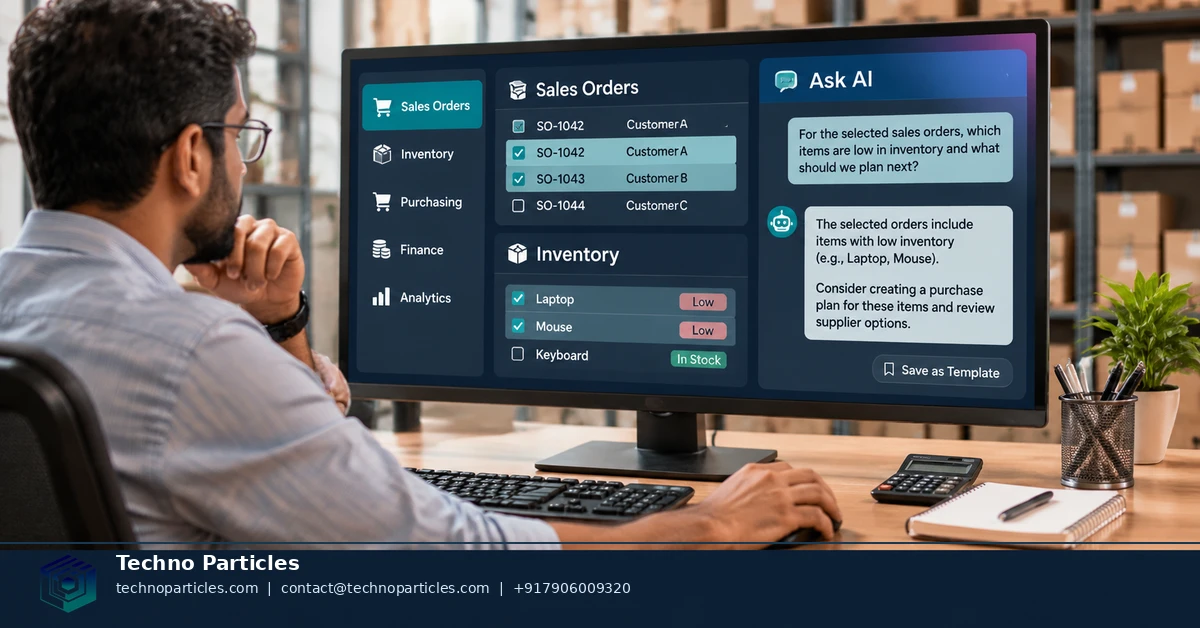
SAP Business One Ask AI marks a shift toward read-only, conversational ERP assistance for small businesses. SAP says it introduced Ask AI and AI User-Defined Query in August 2026, allowing users to ask contextual questions or create reusable lists from natural-language requests. The capabilities are documented for Web client version 10.0 FP 2608.
| Capability | What it does | Key boundary |
|---|---|---|
| Ask AI | Answers questions using selected business context | Cannot modify SAP Business One data |
| AI User-Defined Query | Creates reusable, reviewable read-only datasets | Generates analysis, not write operations |
| Availability path | Web client authorization and AI enablement required | Customer entitlement may vary |
| AI infrastructure | Uses SAP AI Core separately from the ERP license | Consumption is metered |
What changed with SAP Business One Ask AI
The news matters because the feature brings natural-language interaction into familiar ERP screens. SAP’s November 5, 2026 announcement describes Ask AI as part of the platform’s August 2026 generative-AI additions, alongside AI User-Defined Query. The official Ask AI documentation places the tool across nearly all list and detailed views.
Users can ask one-time questions or save reusable templates. They can manage templates as public or private, subject to authorization. The assistant uses only context supplied from the Web client. It cannot read arbitrary records, create or delete data, or update transactions. SAP also warns users to verify generated results before relying on them.
This makes the launch closer to a controlled ERP copilot than an autonomous operator. Small businesses can explore shipping, sales, inventory, or customer questions without granting direct database control. Teams defining those workflows can use a focused project consultation to map questions, permissions, and review steps before rollout.
AI User-Defined Query serves a different need. It turns natural-language requests into reviewable SQL and reusable lists, which suits repeatable reporting. The SAP News Center announcement presents both features as part of the platform’s small-business ERP evolution, but customer-specific access and commercial terms still require confirmation.
How SAP Business One Ask AI uses Web client context
Ask AI starts from the screen a user already has open. In a list or detail view, the user selects relevant business data, opens the Ask AI button, and submits a natural-language question. SAP’s official workflow documentation describes selected-record context, saved questions, and browser-based answers for Web client version 10.0 FP 2608.
The question can use field placeholders. These placeholders tell Ask AI which values from the selected context should guide its response. SAP’s example uses product description and quantity fields:
Product_Item.ItemDescription
Product_Item.Quantity
For example, a user could select sales-order information, include item details, and ask for an explanation of the order’s shipping cost or delivery timing. The answer depends on the fields supplied with that request. Ask AI does not independently search the company database for missing information.
This context-first design gives small businesses a narrower control surface. Teams can define questions around approved fields, then save useful prompts as reusable templates. Public templates can support shared workflows, while private templates can remain personal. Access still depends on authorization for the Ask AI app and enabled AI functionality in the Web client, as described in SAP’s Ask AI help page.
Before rollout, map each recurring question to its required fields and reviewer. A focused ERP workflow consultation service can help document that mapping without treating the assistant as an autonomous transaction operator.

Where SAP Business One Ask AI automation stops
SAP Business One Ask AI and AI User-Defined Query are read-oriented tools, not interchangeable autonomous agents. Ask AI answers questions from context supplied by the user’s Web client session. AI User-Defined Query turns a natural-language request into reviewable SQL and a reusable dataset. Both help users interpret ERP information without directly changing transactions. SAP describes these controls on its SAP Business One features page.
The distinction matters in daily operations. Ask AI fits a one-time question, such as asking why a selected order has a particular shipping cost. AI User-Defined Query fits a recurring request, such as generating a list of overdue deliveries for a sales team. The first is conversational context; the second is a repeatable reporting workflow.
Native tools versus partner-built agents
Neither native feature should be treated as a transaction executor. Ask AI cannot independently search arbitrary SAP Business One records, create documents, update fields, or delete data. AI User-Defined Query analyzes data but does not turn generated SQL into write operations. Human review remains part of the control model.
A separate extension path exists for teams that need richer conversational workflows. SAP publishes an MCP Server sample for SAP Business One, using the Service Layer as a developer and partner integration route. Such an agent may support actions beyond native Ask AI, depending on how a partner builds permissions and tools. That makes governance more important: define allowed actions, approval points, audit records, and failure handling before connecting write-capable automation.
For small businesses, the practical rule is clear: use native Ask AI for contextual explanation, AI User-Defined Query for repeatable read-only reporting, and a controlled AI and automation service evaluation only when the workflow needs capabilities outside those boundaries.
Why the control boundary matters for ERP automation
The key difference is not simply whether a tool uses natural language. It is whether the tool can act beyond the data and permissions deliberately supplied to it. Native Ask AI is designed for contextual interpretation inside the Web client, while AI User-Defined Query produces a reusable, read-only reporting result. SAP’s Business One feature documentation describes these capabilities as separate from broader partner extensions.
That separation creates three practical automation tiers. At the first tier, a user asks a question about selected records and receives an explanation. At the second, a team saves a repeatable query that produces a list for operational review. At the third, a partner-built agent can connect conversational input to additional Service Layer tools, subject to the implementation’s permissions and approval design. SAP’s MCP Server sample documentation represents this separate developer and partner path.
For a small business, the safest adoption sequence is to prove value at the first tier before considering the third. Start with questions that explain existing records, then move recurring reporting requests into AI User-Defined Query. Only investigate an agent extension when the workflow genuinely requires system actions that native tools cannot perform.
At that point, the project needs an explicit action map: which tools can be called, which roles may call them, which operations require approval, and what evidence is retained after execution. A focused AI and automation service evaluation can help translate that map into a controlled implementation without treating every conversational request as permission to modify ERP records.
When small-business ERP automation needs an agent
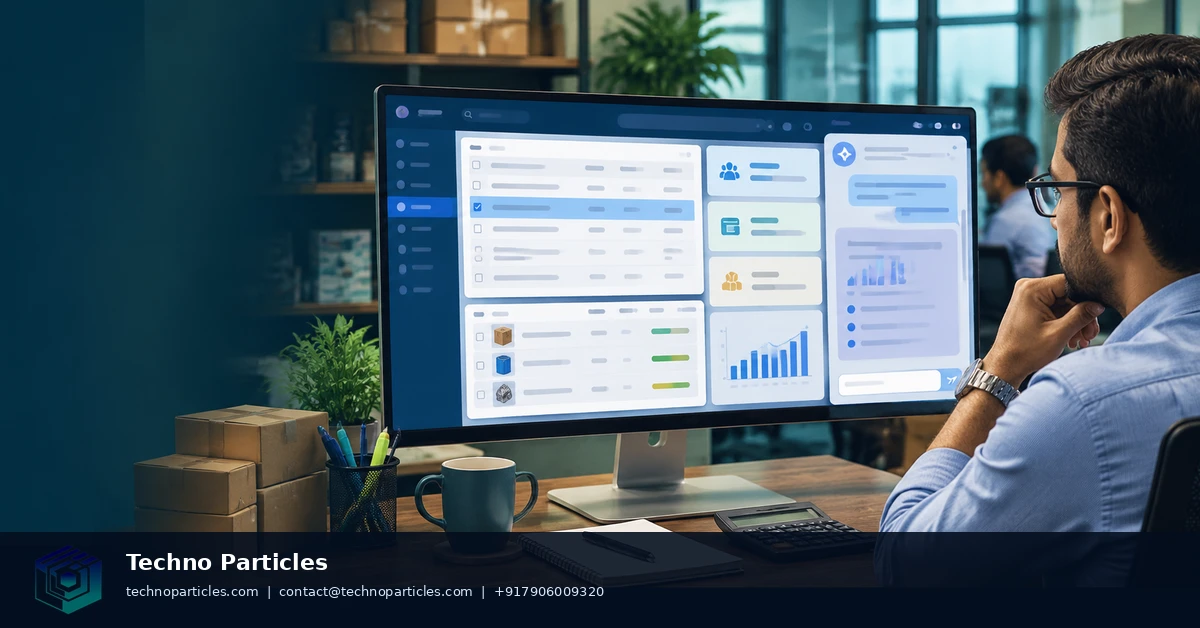
Native SAP Business One Ask AI answers questions from context supplied inside the Web client. The separate AI User-Defined Query feature supports reusable, read-only datasets. SAP documents both capabilities for Web Client version 10.0 FP 2608, but neither feature is a general-purpose transaction agent. See the Web Client documentation for the feature scope.
A partner-built agent becomes relevant only when the workflow must connect conversation with additional business tools. That might include checking several systems, preparing a proposed action, or routing an approved request through an integration. Those capabilities belong to the implementation, not automatically to SAP Business One Ask AI. The partner must define which Service Layer operations exist and which roles can invoke them.
Evaluate that extension as a controlled software project. Require a written list of permitted operations, separate read and write credentials, approval for irreversible actions, and an audit trail that records the request, tool call, result, and approver. Test rejected requests as carefully as successful ones. A focused ERP automation planning consultation can help turn those requirements into a reviewable workflow.
The decision boundary is therefore practical: stay with native tools when the goal is explanation or repeatable reporting. Investigate an agent only when a measurable business process needs a controlled action beyond read-only analysis. Confirm the exact integration design before granting production access.
Conclusion: choose the narrowest automation boundary
Decision rule: choose SAP Business One Ask AI for small business ERP automation when the required outcome is a contextual, read-only answer. Choose AI User-Defined Query when the business needs a repeatable list or reporting view. Consider a partner-built agent only when the workflow requires a controlled action beyond native read-only analysis.
This rule keeps technical ambition tied to business need. A question about an order, product, customer, or delivery record does not require transaction automation. A recurring management report does not require write access. A workflow that must create, update, or route records may justify an extension, but only when that action has a clear owner, permission model, approval path, and audit requirement.
The practical test is whether additional system authority solves a defined problem. If read-only assistance already removes the manual search or reporting burden, stop at the native capability. If the remaining bottleneck is an action, define that action separately instead of treating conversational access as blanket permission.
Next step: ask an SAP partner to confirm your company’s access to Web Client version 10.0 FP 2608, Ask AI authorization, AI enablement, and SAP AI Core commercial terms. Request the answer in writing, including applicable metering, plan requirements, regional availability, and customer-specific entitlements. Then map one real workflow to its required data, user roles, approval points, and acceptable result before approving any production rollout.


Leave a comment
Your email stays private. You can see your comment immediately on this browser. Others see it after approval.