
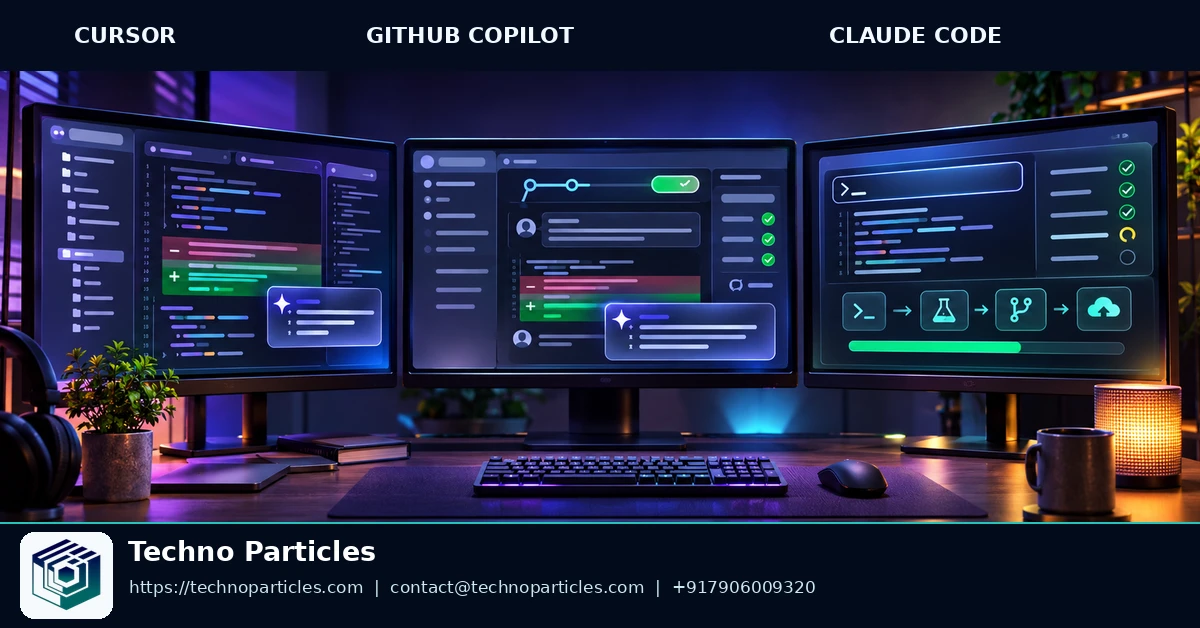
Cursor, GitHub Copilot and Claude Code now represent three different ways to delegate software work: an AI editor, a GitHub-native agent and a terminal-first coding assistant. The right choice depends less on a universal winner and more on where your repository work already happens. That decision also affects how teams plan application development services, review changes and control automation.
| Agent | Primary control surface | Documented delegation model | Verified availability signal |
|---|---|---|---|
| Cursor | Editor, cloud, web, mobile, Slack and GitHub | Cloud agents can work in isolated environments, test changes and prepare pull requests. | Cloud-agent announcement dated February 24, 2026 |
| GitHub Copilot | IDE, GitHub, CLI and pull requests | Cloud agent can research repositories, plan work, edit branches, run tests and linters, and prepare pull requests. | Paid-plan cloud experience available October 28, 2026 |
| Claude Code | Terminal and local repository | Terminal-based agent with authentication through Anthropic or supported enterprise cloud providers. | Supports macOS, Linux and Windows through documented setups |
What changed in the coding-agent landscape
Cursor’s February 24, 2026 announcement expanded its agent model beyond the desktop editor. Its cloud agents can operate in virtual-machine environments, test work, produce artifacts and create merge-ready pull requests across multiple access surfaces. This makes Cursor relevant when delegation must continue away from a developer’s main workstation.
Cursor also announced its India-only Cursor Start plan as available from July 28, 2026, with INR billing and access to features including cloud agents, iOS remote control, plugins, MCP servers, hooks and skills. Plan access and billing remain product-specific, so readers should verify the linked official documentation before choosing a subscription.
GitHub’s new cloud experience became available to paid Copilot users on October 28, 2026, subject to organization and enterprise policies. Free users continue with the older Copilot Chat experience. The practical shift is clear: agent work is moving from inline suggestions toward repository-level tasks, branch changes and reviewable pull requests.
How Cursor vs GitHub Copilot vs Claude Code fits the control surface
These agents differ first by where developers direct work. Cursor keeps the editor as the main workspace, then extends delegation through cloud agents, remote access and connected tools. Its cloud agents use isolated virtual machines, test changes and can produce pull requests, screenshots, videos and logs. This suits developers who want visual context while an agent works away from the active desktop. Cursor’s cloud-agent announcement documents these surfaces and outputs.
GitHub Copilot centers work on repositories and the software-delivery loop. Its cloud agent can research a repository, create an implementation plan, modify a branch, run tests and linters, and prepare a pull request in an ephemeral GitHub Actions environment. GitHub also documents CLI, API, automation and MCP access for supported workflows. That makes Copilot a natural fit when issues, branches, reviews and Actions already organize the team’s work. GitHub’s cloud-agent documentation describes this repository-level process.
Terminal control changes the operating model
Claude Code starts from the terminal rather than an editor panel or hosted repository page. Anthropic documents installation on supported macOS and Linux setups, plus Windows use through WSL or Git for Windows. Authentication can use Anthropic Console or an eligible Claude plan, with enterprise deployment through Amazon Bedrock or Google Vertex AI.
npm install -g @anthropic-ai/claude-codeThe terminal model gives developers explicit command-line control over local repositories and surrounding tools. That matters for teams whose custom application development work depends on local scripts, infrastructure commands or existing shell-based procedures. Claude Code documentation also separates Claude subscription access from API billing, so deployment choice affects both control and account management. Anthropic’s setup guide lists the supported installation and authentication paths.

Which workflow fits each coding agent?
Choose by the work surface that already organizes your day. Switching tools becomes costly when issues, pull requests, local scripts or editor context live somewhere else.
Editor-first development
Cursor fits teams that begin inside an editor and want to delegate larger tasks without leaving that environment. Its documented cloud-agent workflow supports isolated development environments, testing and pull-request preparation. The strongest fit is a developer who values visual context, remote control and background work alongside active coding. GitHub’s overview of Copilot capabilities provides a useful contrast because Copilot spans inline assistance, IDE agent mode and repository workflows.
GitHub-native delivery
GitHub Copilot fits best when the issue tracker, branches, reviews and GitHub Actions already define the delivery process. Its cloud agent can research repository context, plan implementation, edit a branch and run validation before preparing a pull request. This reduces handoff friction for teams that want agent work to enter the same review path as human-authored changes. GitHub’s cloud-agent guide documents supported workflows, automation options and access methods.
Terminal-first or multi-tool work
Claude Code is the better fit when command-line control matters more than a hosted interface. Local scripts, shell procedures and repository operations remain central, while authentication and deployment can follow Anthropic’s documented subscription or enterprise-cloud paths. This model suits developers who want to inspect, direct and approve work from a terminal. For teams still defining that operating model, a focused project consultation service can help map agent tasks to existing delivery controls.
For mixed teams, assign agents by workflow instead of forcing one standard. Use Cursor for editor-led delegation, Copilot for GitHub-centered delivery and Claude Code for terminal-heavy work. The practical winner is the agent that creates the fewest new handoffs.
What the plans mean for agent costs
The three tools price access differently, so the headline subscription is only one part of the decision. Cursor separates plan access from model consumption: its documentation describes shared usage pools, weekly refreshes and model-specific consumption, while third-party model usage may be billed separately. The public plans include Free, Plus, Premium, Super and Ultra, with cloud-agent access beginning on selected paid tiers. Cursor’s model and pricing documentation explains how usage is consumed.
Cursor also documents an India-only Start plan at ₹649 per month, billed in INR with UPI or card payment. The plan includes access to Cursor models, cloud agents, iOS remote control, plugins, MCP servers, hooks and skills. That makes it relevant to Indian developers testing remote delegation at a lower local-currency entry point, but its availability should be checked against the official plan page before purchase. Cursor’s Start announcement records those terms.
GitHub Copilot uses plan-based access and AI credits rather than a single universal agent meter. GitHub’s plan documentation lists different allowances, model access and agent availability across Free, Pro, Pro+, Business and Enterprise offerings. Cloud-agent access can also depend on repository eligibility and organization or enterprise policies, so a team’s administrator settings may matter as much as the individual subscription. GitHub’s plans documentation contains the current allowance and plan details.
Subscription access is not the same as unlimited work
Claude Code is included with Claude Pro and Max, while Anthropic separately supports pay-as-you-go API usage and enterprise deployment through services such as Amazon Bedrock and Google Vertex AI. Anthropic lists Claude Pro at $20 per month when billed monthly and Max plans from $100 per month; Claude and Claude Code share rate limits for Pro and Max users. Anthropic’s pricing page and its Claude Code plan guidance describe those distinctions.
For a business evaluating these options, record expected agent tasks, review time and model usage before choosing a tier. A short workflow planning consultation can help translate those requirements into a predictable operating budget.
How to run a fair agent pilot
Compare Cursor, GitHub Copilot and Claude Code on one controlled repository task. Pick work that resembles normal delivery, such as adding a small feature, fixing a reproducible defect or updating a documented workflow. Avoid a toy benchmark. The goal is to measure fit inside your process.
Keep the task and acceptance criteria fixed
Give each agent the same repository state, issue description, relevant documentation and test command. Define acceptance criteria before starting. Include functional behavior, changed files, required tests, review standards and security constraints. Do not change the task after one tool produces an early result.
Use a clean branch for every run. Record the agent’s starting context, requested permissions, model or plan where visible, elapsed time, retries and human interventions. If the repository contains sensitive material, use a prepared test copy with secrets removed.
Measure delivery cost, not only code output
Score each result against the same checklist:
- Did the implementation satisfy every acceptance criterion?
- Did the documented tests and linters pass?
- How many edits did a developer need before review?
- How much time did setup, prompting, correction and review consume?
- Did the agent create unnecessary files, risky changes or unclear documentation?
Track spend or allowance consumption beside elapsed time. A fast first draft can lose its advantage if review requires extensive repair. Conversely, a slower agent may fit better when it produces a smaller, clearer pull request.
Run at least one editor-led, one GitHub-centered and one terminal-led task when the team uses all three environments. This exposes handoff costs that a single coding prompt cannot show. Teams building a larger application can align the pilot with an existing application development workflow.
Choose the tool that meets the acceptance criteria with the lowest combined cost of execution, correction and review. Treat the result as a workflow decision for that repository, not a universal ranking of coding agents.
The decision rule
For Cursor vs GitHub Copilot vs Claude Code: which agent fits your workflow, choose the tool that places agent control closest to where work already happens. If developers spend most time shaping code inside an editor, select the editor-centered option. If work begins with issues, repository context, branches and pull requests, select the GitHub-centered option. If engineers prefer explicit terminal commands, local repository control and scriptable sessions, select the terminal-centered option.
This rule keeps the decision operational. An agent can produce strong code and still create friction if developers must move context between tools, repeat permissions, translate task formats or reconstruct the agent’s work before review. Workflow distance becomes a hidden cost. The best fit is the tool that reduces that distance for the highest-volume work your team performs.
For mixed teams, assign a primary agent by workflow rather than forcing one product across every project. A frontend team may value editor continuity, a platform team may value terminal control, and a product team may value repository-based planning. Standardize review and security requirements across those choices, while allowing the control surface to differ.
Do not decide from subscription price alone. Compare the cost of setup, context transfer, correction, review and usage consumption for the work that matters most. A lower entry price does not guarantee lower delivery cost if the agent requires more supervision.
Next step: run one representative task
Select one repository task that reflects normal delivery and run it with the leading candidate for your team’s dominant workflow. Keep the task scope fixed, record the time from prompt to review-ready change, and note how much human correction was required. Then make the adoption decision from that result: choose the agent that reaches your quality bar with the least combined execution and review friction.



Leave a comment
Your email stays private. You can see your comment immediately on this browser. Others see it after approval.