
GitHub Moyai setup has become a practical option for teams that want coding tasks to continue after a developer closes the browser. LiteLLM announced Moyai as an open-source project on October 7, 2026, describing it as a self-hosted cloud coding agent for background software work. Instead of stopping at code suggestions, Moyai can accept a task, work inside an isolated cloud workspace, edit files, run tests, and prepare a pull request for human review.
What makes Moyai different from a coding chatbot?
The main idea is delegated execution. A developer can submit work through a browser or Slack, then allow the agent to operate while the team handles other priorities. Moyai supports several agent harnesses, including Claude Agent SDK, Codex, OpenCode, Hermes, Deep Agents, and Tool Loop. Inference is routed through LiteLLM, which supports more than 100 model providers. Provider credentials remain on the server instead of being placed inside the coding sandbox, an important design choice for teams reviewing access and data boundaries.
That workflow could help with repetitive maintenance, test updates, documentation changes, dependency reviews, and clearly scoped feature branches. It also fits businesses building custom software or automation systems, including the kind of application development projects handled by Techno Particles. The pull request remains the review point: generated changes should still be checked for correctness, security, licensing, and compatibility before merging.
What you need before deployment
The documented Modal path requires Git, Python 3.12 or newer, uv, a Modal account, and a LiteLLM gateway. Moyai also supports Substrate, while the repository provides both a local-demo route and a cloud-deployment route. New users should begin with a small, non-sensitive repository and a narrowly defined task so they can inspect workspace permissions, test execution, logs, and pull-request behavior before expanding access.
Important cost and control warning
Modal deployment starts billed compute, and closing the browser does not automatically stop running resources. Infrastructure, model, and gateway charges therefore need active monitoring.
GitHub Moyai setup: a safer first deployment path
After the basic requirements are ready, treat the first GitHub Moyai setup as a controlled engineering experiment. Connect a test repository or a branch with no production credentials, then define one task with a measurable outcome, such as updating a test suite, refreshing documentation, or preparing a dependency change. A narrow prompt makes it easier to assess whether the selected harness follows repository instructions, preserves existing conventions, and reports failures clearly.
The deployment architecture separates the agent’s workspace from the server-side model gateway. That boundary can simplify provider management because API keys stay outside the sandbox, but it does not remove the need for access controls. Review repository permissions, environment variables, network access, artifact retention, and the identities allowed to create pull requests. Teams building internal tools may also want to document approval rules before connecting Moyai to a shared codebase. This is especially relevant when an agent is added to a broader software project consultation and automation workflow.
Choose the agent harness around the task
Moyai’s support for multiple harnesses is useful, but it also introduces a configuration decision. Start with the harness your developers already understand, then compare how it handles planning, tool calls, test failures, and interrupted work. The goal is not to enable every option at once; it is to identify a repeatable path from task submission to reviewable pull request. Record the model provider, prompt, repository state, test command, and resulting changes for each trial.
Before allowing background work on larger repositories, add operational safeguards. Set spending limits where the infrastructure and model providers support them, monitor active Modal resources, and establish a shutdown procedure that does not depend on closing the browser. Keep human review mandatory for authentication changes, production configuration, database migrations, and security-sensitive code. These controls preserve the main benefit of Moyai—delegated work that continues in the background—without treating generated pull requests as automatically trustworthy.
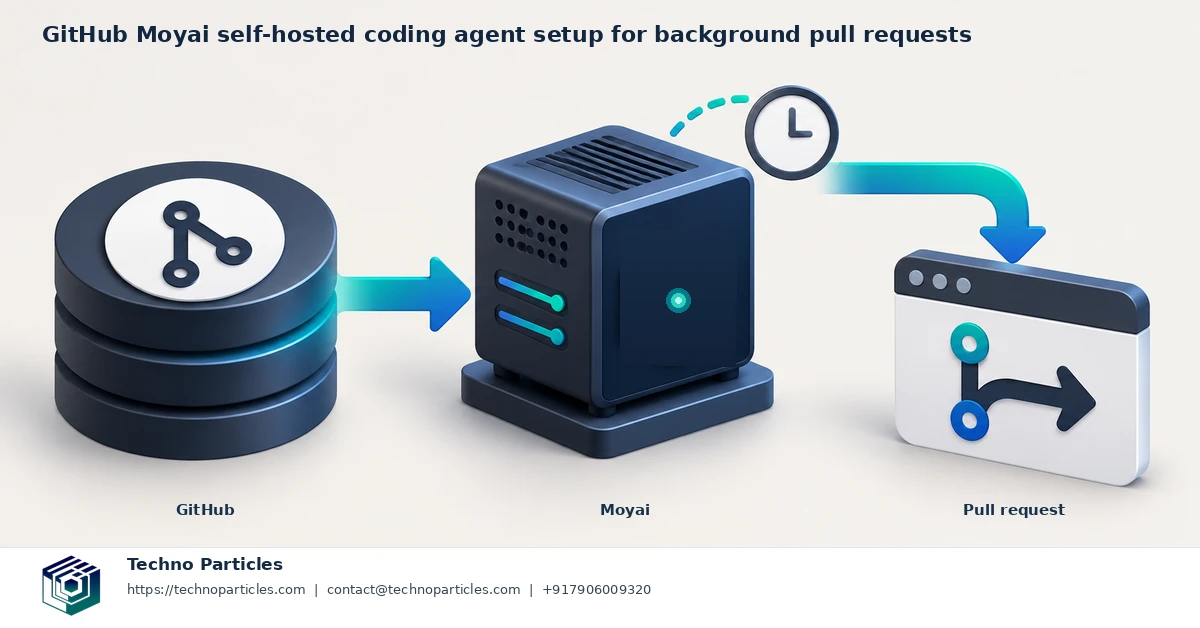
Turn background tasks into reviewable pull requests
A reliable GitHub Moyai setup depends as much on task design as on deployment. Give the agent a clear repository objective, the files or services in scope, the command used to validate the change, and the expected pull-request summary. For example, a maintenance request might ask Moyai to update a dependency, run the existing test suite, and report any failures without changing application behavior. This makes the result easier to compare with the original request.
Repository instructions should also explain coding conventions, required checks, branch expectations, and files that must not be modified. Avoid placing secrets in prompts or committing local configuration merely to help an agent complete a task. If the workflow needs credentials, use the narrowest supported access and confirm how those values are exposed to the workspace. The server-side gateway keeps provider keys outside the sandbox, but repository and infrastructure permissions still require separate review.
Build a review loop before scaling
When a run finishes, inspect the diff first, then review test output, changed dependencies, generated files, and the pull-request description. Ask whether the agent solved the stated problem or simply made tests pass through an undesirable workaround. A second developer or automated quality check can be useful for higher-risk repositories, especially where changes affect billing, customer data, authentication, or deployment configuration.
Teams can make this process repeatable by recording the task prompt, selected harness, model provider, repository commit, runtime duration, infrastructure usage, and review outcome. Those records help identify which tasks are suitable for unattended execution and which require closer supervision. They can also guide a broader generative AI automation strategy for internal engineering workflows.
Know when Moyai is a poor fit
Moyai is less suitable for ambiguous product decisions, repositories with undocumented setup steps, or work that requires frequent human judgment. Its newly open-sourced status also means configuration details and supported integrations may change. Treat the early deployment as an evaluation, pin versions where practical, and recheck the official repository before relying on it for important background work.
Measure the workflow before expanding it
The first successful run is only a starting point. During a GitHub Moyai setup, track practical signals such as task completion, test reliability, review revisions, runtime, and infrastructure usage. A pull request that arrives quickly but requires extensive rewriting may not represent a useful efficiency gain. Compare similar tasks completed by a developer, a conventional automation script, and the coding agent so the team can see where background execution adds value.
Cost analysis should include more than model tokens. LiteLLM’s reported comparison of Moyai and Devin is a company case study, not an independent benchmark, and it should not be treated as a guaranteed saving. Actual spending can vary with the selected model, gateway configuration, Modal or Substrate resources, workspace duration, and the number of retries. Set a review point after several controlled tasks, then decide whether the workflow deserves broader access.
Connect Moyai to existing engineering controls
Teams should preserve familiar safeguards around the agent rather than creating a parallel process. Require pull-request checks, branch protection, code ownership reviews, and dependency scanning where appropriate. If the repository uses issue templates, define which fields Moyai must read before starting. A task should also specify when the agent must stop and request human input, particularly for unclear requirements, failing tests caused by external services, or changes that could affect customer data.
For businesses developing internal applications, the same discipline can extend to a broader application development workflow. Document who owns the gateway, who can launch workspaces, how logs are retained, and how active resources are stopped. These details matter because background agents shift some engineering work from an interactive terminal into an ongoing service.
Keep the deployment easy to revisit
Because Moyai is newly open-sourced and actively changing, record the repository revision, deployment configuration, harness, and provider settings used in each evaluation.
Make a GitHub Moyai setup operationally safe
A dependable GitHub Moyai setup should begin with a limited repository and narrowly defined permissions. Start with maintenance tasks that are easy to inspect, such as updating documentation, improving test coverage, or preparing a dependency-change pull request. Keep production credentials, deployment keys, and sensitive customer data outside the workspace unless they are genuinely required and protected through an approved secret-management process.
Define an explicit stop condition in every task. Moyai should pause when requirements are contradictory, tests depend on unavailable services, or the requested change touches authentication, payments, infrastructure, or personal data. A pull request is a review surface, not automatic approval. Branch protection, required checks, code ownership, and human review should remain active even when the coding agent runs in the background.
Control runtime and infrastructure costs
Operational ownership matters because cloud workspaces can continue consuming resources after the browser window is closed. Assign responsibility for checking active Modal or Substrate resources, stopping completed runs, and reviewing usage records. The model provider, LiteLLM gateway, workspace duration, retries, and selected compute environment can all affect the final cost, so compare actual invoices with the value of completed work rather than relying on a single company-reported case study.
Keep a small evaluation log containing the repository revision, task prompt, harness, model route, start and stop times, test results, pull-request outcome, and follow-up effort. Over several runs, this reveals whether the agent is genuinely reducing repetitive work or merely moving effort into review and troubleshooting. Teams that need help designing a controlled project consultation workflow can use the same evidence to define ownership, access rules, and rollout stages.
Recheck the project as it evolves
Moyai is newly open-sourced and actively changing, so revisit its repository and deployment documentation before upgrading. Pin a known-good revision where practical, test the local-demo path before changing cloud infrastructure, and document any provider-specific behavior. This makes the setup easier to maintain while leaving the final decision about broader unattended use to measured results.
What a GitHub Moyai setup means for teams
A GitHub Moyai setup can turn selected software tasks into an asynchronous workflow: describe the work, let a self-hosted coding agent operate in an isolated workspace, and review the resulting pull request when it is ready. That model is useful for documentation updates, test improvements, routine maintenance, and other changes with clear acceptance criteria. It does not remove the need for engineering judgment. The pull request remains a proposed change that must pass the repository’s normal checks and review process.
The strongest early deployments will be deliberately narrow. Use a limited repository, restrict permissions, keep sensitive production credentials outside the workspace, and define when the agent must stop for human input. Record the model route, harness, repository revision, runtime, test outcome, and follow-up effort. This evidence will show whether background execution is saving meaningful time or simply transferring work into review and troubleshooting.
Decide whether background coding is ready to scale
Cost and operational control deserve equal attention. Model usage, LiteLLM gateway settings, workspace duration, retries, and Modal or Substrate resources can all affect spending.

Leave a comment
Your email stays private. You can see your comment immediately on this browser. Others see it after approval.