

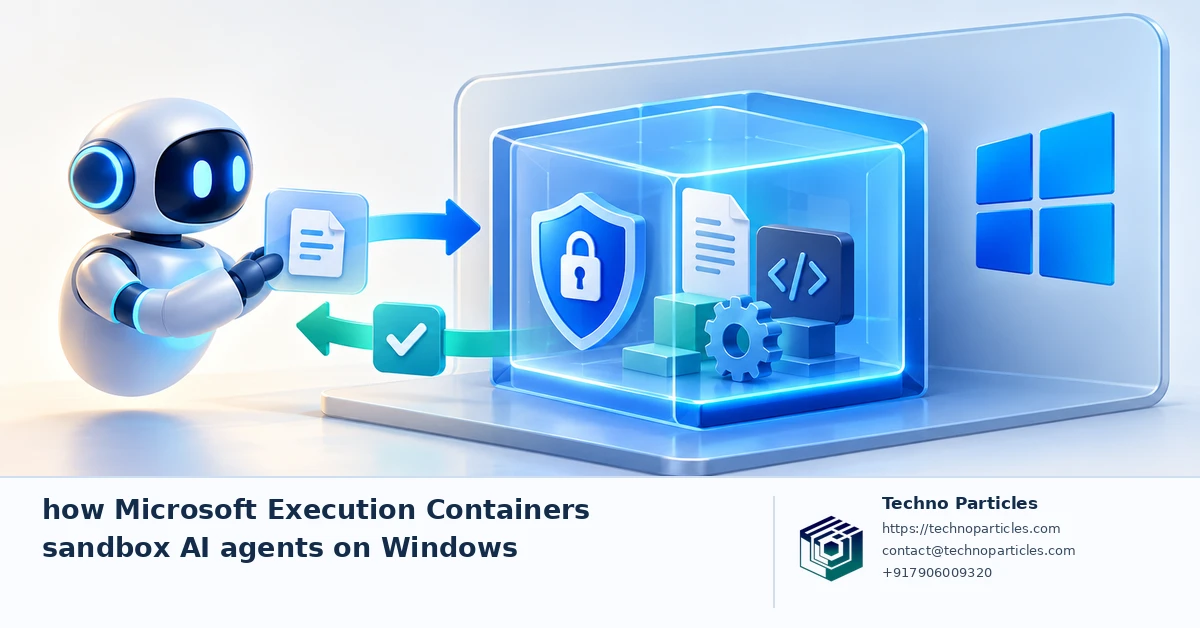
AI agents can write code, manage files, run shell commands, and connect to business tools—but those abilities also create a security question: what can an agent reach when something goes wrong? Microsoft’s answer is Microsoft Execution Containers (MXC), a policy-driven execution layer designed to control how agents operate on Windows.
Microsoft announced MXC at Build on June 2, 2026, and said it became generally available on Windows 11 on October 7, 2026. The system lets developers define which files, networks, credentials, system capabilities, and execution paths an agent may access. Those rules are enforced at runtime, giving developers a more structured way to limit an agent’s blast radius.
How Microsoft Execution Containers sandbox AI agents on Windows
MXC is not one fixed virtual machine. Windows can map a policy to different isolation levels, including process and session isolation, WSL-based containers, virtual machines, and Windows 365 for Agents. That flexibility matters because a lightweight coding task may need a faster process boundary, while a higher-risk workflow may justify stronger virtual-machine isolation.
Microsoft says integrations include OpenAI Codex, GitHub Copilot, OpenClaw, Replit, LM Studio, NVIDIA OpenShell, and Unsloth AI. Microsoft’s Command Line blog adds an important implementation detail: GitHub Copilot uses MXC’s BaseContainer process sandbox on Windows. Shell commands—and, by default, local MCP and language servers—run inside that process boundary.
Why the policy boundary matters
For a development team, this can help separate an agent’s temporary workspace from sensitive source code, credentials, or internal services. Similar controls could support safer document automation, testing, and workflow agents alongside broader Generative AI implementation services.
However, MXC does not remove the need for careful configuration. Built-in file tools and remote MCP policy checks are not equivalent to OS-enforced child-process isolation. Teams still need to define tool permissions, protect credentials, review network access, and decide when human approval is required.
Putting Microsoft Execution Containers into practice
The value of Microsoft Execution Containers becomes clearer when an agent is assigned a narrowly defined job. A coding agent might receive access to a disposable project directory, a package cache, and a test network, while being blocked from personal documents, production credentials, and unrelated repositories. A document workflow could use a separate workspace with read-only source files and restricted outbound connections.
Teams should begin by mapping each agent’s tools and data flows. List the files it must read or modify, the commands it may run, the services it needs to contact, and the credentials required for each task. Then choose the least powerful isolation level that meets the risk requirement. Process or session isolation may suit a controlled local task, while WSL-based containers or virtual machines may be more appropriate for untrusted code and broader system access.
What MXC does not decide for you
A container policy cannot determine whether an instruction is legitimate or whether a connected tool should be trusted. Developers still need allowlists, secrets management, logging, approval gates, and a clear response plan when an agent requests access outside its assigned scope. Credentials should be supplied only for the step that needs them, rather than stored permanently inside the agent’s environment.
Microsoft’s documentation also separates different enforcement paths. GitHub Copilot’s BaseContainer process sandbox places shell commands, local MCP servers, and language servers inside a process boundary by default. Built-in file tools and remote MCP checks do not provide the same OS-enforced child-process isolation, so teams should evaluate those paths separately instead of treating every tool as equally contained.
For organizations planning agent-based automation, this makes policy design part of application architecture. A consultation focused on AI workflow and project consultation can help connect the agent’s business purpose with permissions, monitoring, and escalation rules before deployment.
Choosing the right boundary for each agent
The safest MXC design starts with the task, not the technology label. A code-generation agent that only edits a temporary repository does not need the same permissions as an operations agent that can reach customer records or deployment systems. Define the smallest workspace, network route, and tool set required for the job, then keep everything else outside the policy.
For example, a Windows development workflow could place source files in a disposable directory, permit access to a package mirror, and allow tests to run against local services. Production databases, browser profiles, SSH keys, and unrelated repositories should remain unavailable. If the agent needs a secret, provide it through a controlled mechanism for one operation and revoke it afterward.
Process isolation is useful, but context matters
Microsoft Execution Containers can make lightweight tasks more practical by mapping policies to process or session boundaries. That may reduce setup time for trusted local workflows. However, untrusted code, unfamiliar packages, or agents with wider system access may justify WSL-based containers or virtual machines. The stronger option can add overhead, so teams should test startup time, file-sharing behavior, networking, and developer productivity before standardizing it.
Teams should also distinguish containment from governance. MXC can enforce runtime access rules, but it does not replace code review, dependency scanning, audit logs, or approval workflows. Microsoft has discussed centralized agent identity and management through Microsoft Entra and Agent 365, while noting that some identity and management capabilities are still coming soon. Organizations should therefore verify which controls are available in their chosen deployment rather than assume the complete governance layer is already present.
What developers should test before deployment
- Attempt access to blocked files, ports, credentials, and system capabilities.
- Confirm that local and remote MCP tools follow the intended policy path.
- Record denied requests and define who can approve exceptions.
- Repeat tests after updates to the agent, tools, or Windows environment.
Businesses evaluating agent-based automation can pair this technical review with custom application development to design permission-aware workflows around existing systems.
How Microsoft Execution Containers sandbox AI agents on Windows in real workflows
The practical test for Microsoft Execution Containers is whether an agent can complete useful work without gaining unnecessary reach across a Windows system. A small business might use one policy for an AI assistant that sorts uploaded invoices, another for a coding agent that runs tests, and a stricter boundary for automation connected to customer or financial records. Each policy should reflect the data involved, the possible failure cost, and the actions that require approval.
Before rollout, teams should create a repeatable evaluation process. Start with ordinary tasks, then test deliberately hostile or unexpected instructions: access a blocked folder, call an unapproved endpoint, read an unavailable environment variable, install an untrusted package, or request a production credential. The expected result is not simply that the action fails. The system should also produce an understandable record showing what was denied, which policy applied, and whether a human can approve an exception.
Design for recovery, not just prevention
Even a well-contained agent can make incorrect changes within its permitted workspace. Use disposable directories, version control, backups, transaction limits, and reversible operations wherever possible. For customer-facing workflows, route high-impact actions such as sending messages, changing prices, deleting records, or publishing content through an approval step. These controls make containment useful when the agent behaves unexpectedly, rather than treating the sandbox as a complete safety guarantee.
Organizations should also measure operational trade-offs. Compare startup time, file-sharing friction, network performance, logging quality, and support effort across process isolation, WSL-based containers, and virtual machines. The strongest boundary may be unnecessary for a low-risk local task, while a lightweight boundary may be unsuitable for untrusted code. A focused generative AI implementation review can help align these choices with a company’s existing software and data flows.
As Microsoft Execution Containers becomes available on Windows 11, the central question is therefore not whether every agent should run in the same sandbox. It is how precisely each agent’s permissions, tools, credentials, monitoring, and approval path have been designed.

Choosing the right boundary for each Windows agent
That design principle becomes especially important when several agents share the same Windows 11 environment. A developer assistant may need source code, compilers, and test services, while an invoice workflow may need document storage and an accounting API. Giving both agents identical permissions creates unnecessary exposure and makes later troubleshooting harder. Separate policies make it easier to explain why an action was allowed, denied, or sent for approval.
Microsoft Execution Containers can also support staged deployment. Begin with observation and simulation, recording the files, commands, network destinations, and tools an agent would request during normal work. Convert those observations into an explicit policy, then run the agent in a restricted mode before enabling changes. This process can reveal hidden dependencies, such as a language server needing a directory that was not included or a build task contacting an unexpected package source.
Tool access deserves its own review
Sandboxing the process does not automatically make every connected tool safe. Teams should inventory local MCP servers, language servers, extensions, scripts, and remote APIs. Microsoft’s Command Line guidance says GitHub Copilot uses MXC’s BaseContainer process sandbox on Windows, but built-in file tools and remote MCP policy checks should not be treated as identical to operating-system-enforced child-process isolation. The practical question is which boundary protects each action and where approval or logging occurs.
For customer data, add data classification and retention rules to the technical policy. An agent may be allowed to transform a document without being allowed to retain copies, export records, or contact an external service. For internal teams, project consultation can help translate these requirements into workflows, permissions, and measurable rollout stages.
Deployment reviews should include both failure testing and routine maintenance. Recheck policies when an agent changes its tools, when a repository adds dependencies, or when network endpoints move. This keeps the boundary aligned with the work instead of allowing temporary exceptions to become permanent access.
What Microsoft Execution Containers mean for safer Windows automation
The rollout of Microsoft Execution Containers does not remove the need for security design; it makes that design more explicit. Every Windows agent should have a policy that matches its actual job, including the folders it can use, the network destinations it can reach, the credentials it may receive, and the actions that require human approval.
Teams should begin with low-risk, repeatable tasks and record what the agent requests during normal operation. Then test blocked folders, unapproved endpoints, unavailable environment variables, package installation, and production credentials. A useful evaluation should show not only that an action was denied, but also which rule stopped it and whether the event was logged clearly enough for an administrator to investigate.
Containment is one layer of the safety model
An agent can still make incorrect changes inside its permitted workspace. Disposable directories, version control, backups, transaction limits, and reversible operations remain important. Sending a customer message, changing a price, deleting a record, or publishing content should generally use a separate approval step. These controls limit the impact of mistakes that a sandbox alone cannot prevent.



Leave a comment
Your email stays private. You can see your comment immediately on this browser. Others see it after approval.