
Sarvam AI’s Bulbul V4 Flash gives developers a practical way to add Indian-language speech to applications without building a voice system from scratch. Announced on October 13, 2026, the text-to-speech model is available through the Sarvam API, Playground, and Content Studio. Sarvam says it supports 11 languages, 83 voices, and more than 200 voice-style combinations, with production time-to-first-audio below 250 milliseconds.
That combination makes the API relevant for IVR menus, voice agents, educational lessons, narration, and customer-support workflows that need natural Indian-language audio. Businesses planning these experiences can also review Generative AI development services for help connecting speech generation with existing websites, apps, CRM systems, or internal automation.
What you need before making the first request
Start by creating a Sarvam account and generating an API key. The key is sent in the api-subscription-key header, while requests use the /text-to-speech endpoint. The model identifier for this release is bulbul:v4-flash. V4 Flash follows the same request and response contract as Bulbul V3, but its speaker selection is different: older short IDs such as shubh should not be reused.
For predictable output, specify the language code and a persona-style speaker ID, such as simran_en_customer. If the speaker field is omitted, Sarvam’s documented default is shubh_enhi_ads. A REST request can contain up to 2,500 characters, supports pace values from 0.5 to 2.0, and can request sample rates up to 48 kHz.
Basic request flow
- Keep the API key in a server-side environment variable, never in browser JavaScript.
- Send text with the model, language, speaker, pace, and output settings.
- Read the returned base64 audio, decode it on your server, and save or stream the resulting file.
This setup is small enough for a prototype, yet structured for production integrations where voice selection and language handling must remain explicit.
Choosing a persona for Sarvam Bulbul V4 Flash API setup
The strongest reason to test Sarvam Bulbul V4 Flash API setup with 200+ Indian voice personas is that voice selection can be matched to the job, not treated as a cosmetic setting. A customer-support flow may need a clear, measured delivery, while an educational lesson benefits from a warmer pace. Keep persona selection in configuration rather than scattering speaker IDs through application code, so your team can change voices without rewriting the integration.
Test each candidate with the same script in the target language. Check pronunciation of names, numbers, product terms, abbreviations, and mixed-language phrases. A voice that sounds natural in a short demo may behave differently in longer prompts or operational messages. Record the selected language, speaker ID, pace, and sample rate alongside each approved script.
Decode and deliver the returned audio
The API response includes audio as base64 data. Your backend should decode that value into the documented audio format before storing it, attaching it to a response, or sending it to a telephony provider. Avoid decoding in a public browser when the workflow would expose credentials or sensitive customer text. Add checks for failed requests, empty audio, invalid language codes, and responses that exceed your application’s expected size.
For a website or mobile product, return a short-lived audio URL or stream the decoded file through your own application layer. A CRM, LMS, or support dashboard can use the same service to generate approved announcements, lesson narration, or multilingual follow-up messages. Teams planning that broader workflow can connect the speech layer with custom application development services.
Production checks before scaling
- Measure response time separately from audio playback and network delivery.
- Cache repeated prompts where the message is stable and reuse is permitted.
- Review consent, retention, and access controls for customer recordings and generated audio.
- Set application-level limits so long text is split into sensible, reviewable segments.
Designing a reliable Sarvam Bulbul V4 Flash integration
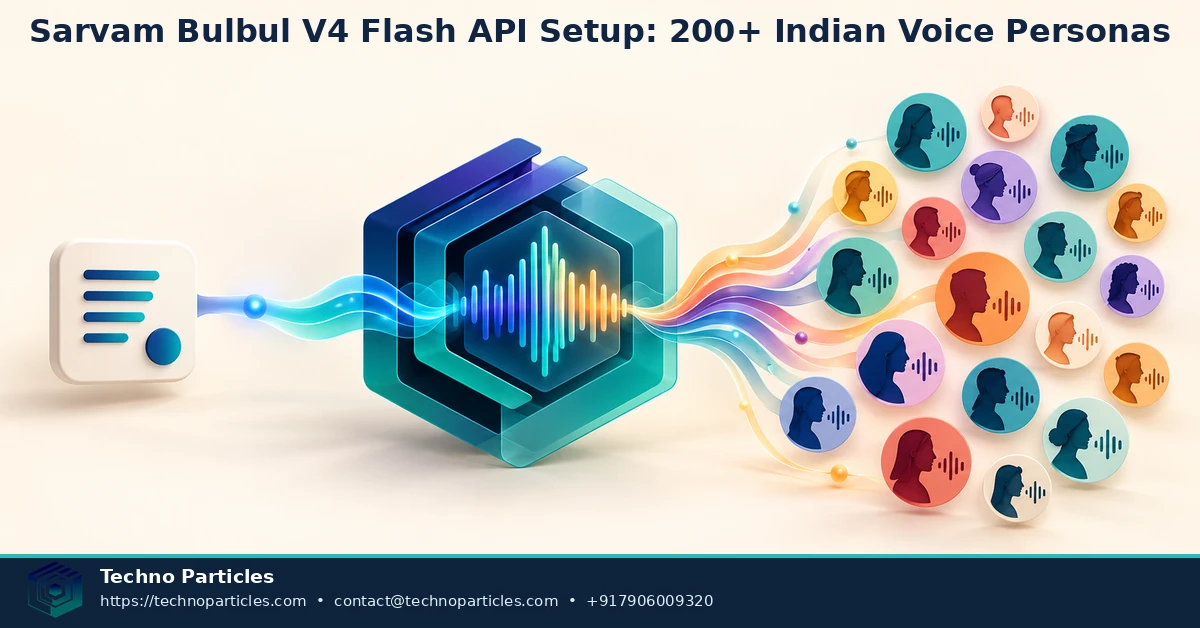
Once the first request works, move speech generation behind a small backend service. That service can validate the language, speaker, pace, and text length before calling Sarvam. It should also normalize application text by removing accidental markup, checking unsupported characters, and splitting long content at sentence boundaries rather than cutting through a word or instruction.
Keep voice settings in a configuration file or database table. Store a business purpose beside each approved persona, such as Hindi support, English onboarding, or mixed-language alerts. This makes Sarvam Bulbul V4 Flash API setup with 200+ Indian voice personas easier to maintain when a product has several workflows. It also gives reviewers a clear record of which voice was used for each customer-facing message.
Language and audio testing that catches real failures
Do not evaluate only by listening to one polished sentence. Build a test set containing dates, currency amounts, phone numbers, addresses, acronyms, names, punctuation, and common English terms used inside Indian-language text. Compare the rendered audio across the speakers your application may use, and have native-language reviewers check pronunciation and tone before deployment.
For IVR or voice-agent projects, test the complete loop: request generation, base64 decoding, audio conversion if required by the telephony platform, playback, interruption, and retry handling. A response that sounds correct in a local audio player may still need format or sample-rate adjustments before it works with another provider. Keep these transformations in one service so web, mobile, and call-center channels share the same safeguards.
Teams can also pair the speech layer with project consultation services when they need help mapping voice workflows to CRM, LMS, or support operations. The practical goal is not merely to select a voice, but to create a reviewable pipeline that produces consistent, secure, and useful audio at scale.
From API call to useful voice workflow
A successful Sarvam Bulbul V4 Flash API setup with 200+ Indian voice personas should connect speech generation to a clear business event. For example, an order system can create a multilingual delivery update, while a support platform can generate an approved callback message after a ticket changes status. In both cases, the application should pass structured text to the speech service instead of allowing every user input to become unrestricted audio.
For customer-facing products, keep generated files associated with the original message, language code, speaker ID, and creation time. This audit trail helps teams reproduce an audio result when a script is updated or a customer reports a pronunciation problem. It is especially useful for education, healthcare administration, logistics, and financial support, where numbers and names must be reviewed carefully.
Where Bulbul V4 Flash can fit
- IVR and voice agents: Generate prompts, confirmations, and fallback messages in supported Indian languages.
- Customer support: Add spoken updates to ticketing, CRM, or callback workflows.
- Education: Create lesson narration, revision prompts, and accessibility-oriented audio.
- Media and commerce: Produce short product explanations, announcements, or campaign variations after editorial review.
These use cases still need application logic around the model. A voice agent must handle transcription, turn-taking, interruption, and escalation; text-to-speech solves only the spoken-response portion. Likewise, narration workflows need script approval and content versioning before audio is published.
Control cost and operational risk
Because pricing is based on characters, measure the text sent to the API rather than estimating from the number of files produced. Remove duplicated instructions, avoid regenerating unchanged passages, and set alerts for unexpected usage. Keep a fallback message for temporary API failures so an IVR or support workflow does not stop completely.
When the integration becomes part of a larger digital product, a backend team can connect it with SEO-aware website development services while keeping credentials, logging, and audio delivery on the server side.
Operational safeguards for a production voice service
A dependable Sarvam Bulbul V4 Flash API setup with 200+ Indian voice personas should also define what happens when a request is rejected, delayed, or produces an unsuitable result. Return a clear fallback message, record the request status, and retry only errors that are safe to retry. Avoid repeated calls for validation failures such as an invalid speaker or an over-long text segment.
Protect the API key on the server and keep it outside browser, mobile, and public client code. Apply authentication and rate limits to your own speech endpoint, then restrict access by application role. Logs should capture the model, language, speaker, character count, and outcome without storing sensitive customer text unless the business has a documented reason and retention policy.
A practical rollout plan
- Prototype: Test a small set of approved speakers with representative Hindi, English, and mixed-language phrases.
- Validate: Check pronunciation, pacing, audio format, latency, and failure handling with native-language reviewers.
- Pilot: Connect one workflow, such as support callbacks or delivery notifications, and monitor character usage.
- Expand: Add personas and languages only after each new combination has an owner, test script, and approval record.
This staged approach is useful for organizations building multilingual customer journeys, internal training tools, or content systems. Teams seeking help with the surrounding application can review application development services for backend integration, mobile delivery, and workflow-specific implementation.
Before wider release, confirm the current Sarvam documentation for supported languages, catalog identifiers, limits, and pricing. The launch announcement and model documentation report slightly different counts for voice-style combinations, so product copy should retain the safer “200+ Indian voice personas” description unless Sarvam publishes a clarified number.
What the 200+ persona claim means in practice
The headline advantage of a Sarvam Bulbul V4 Flash API setup with 200+ Indian voice personas is flexibility, not unlimited voice cloning. The available choices should be treated as a managed catalog: select a persona that matches the audience, language, tone, and channel, then keep that selection stable across related messages. Changing speakers between order updates or lesson segments can make an otherwise polished experience feel inconsistent.
Teams should also review names, dates, currency values, abbreviations, and code-mixed phrases with native-language speakers. A technically successful response can still sound confusing if the script uses unfamiliar spellings or unnatural sentence breaks. Store approved scripts separately from generated audio so that a correction can trigger a controlled regeneration rather than an accidental change across every published file.
Final takeaway for builders
Sarvam Bulbul V4 Flash makes Indian-language speech practical to test through a familiar API contract, fast production time-to-first-audio, and a broad persona catalog. The strongest implementation starts with a narrow workflow, explicit model and speaker parameters, server-side key protection, and measurement of character usage. It then expands only after reviewers confirm pronunciation, pacing, accessibility, and fallback behavior.
For developers, the next step is a small test harness that compares approved speakers and language codes using real business scripts. For businesses, it is a workflow decision: identify where spoken communication improves support, education, commerce, or automation, and define who approves the output. The launch announcement and model guide report different catalog totals, so “200+ Indian voice personas” remains the safer description until the documentation is reconciled.
In short, a reliable Sarvam Bulbul V4 Flash API setup with 200+ Indian voice personas depends less on choosing the largest catalog and more on disciplined integration.


Leave a comment
Your email stays private. You can see your comment immediately on this browser. Others see it after approval.