
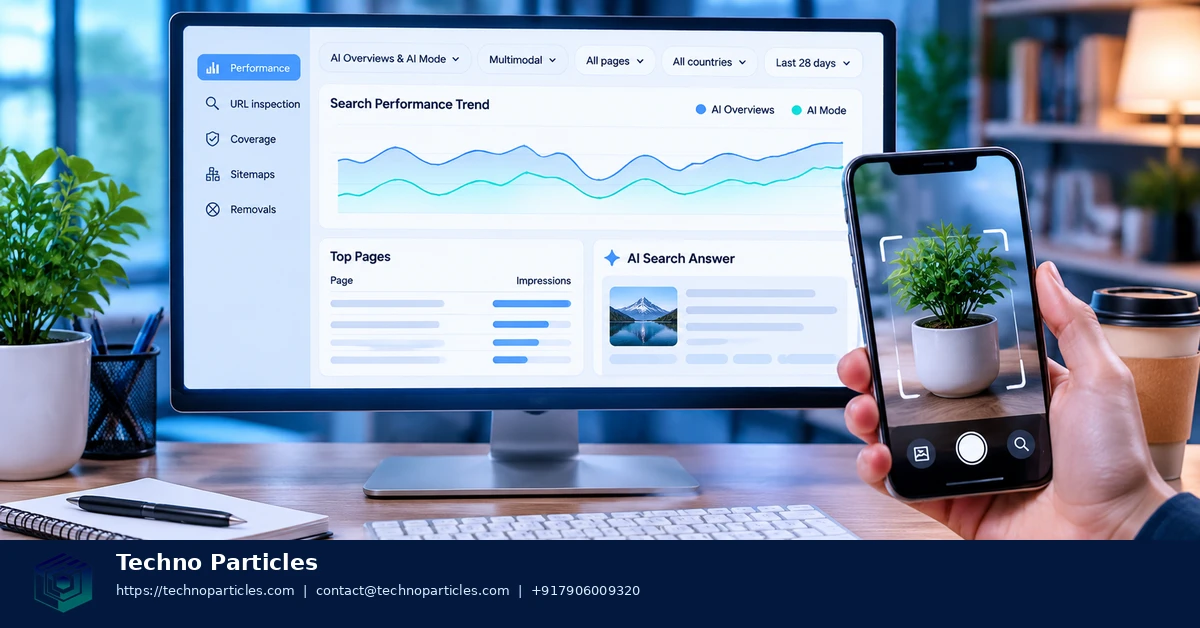
Google Search Console now gives eligible site owners a clearer way to examine visibility in Google’s generative search experiences. This Google Search Console beginner guide to AI Mode and multimodal performance reports explains what the new data means, where to find it, and how to avoid reading more into the numbers than Google confirms.
Google announced dedicated Generative AI performance reports on June 3, 2026, and stated that the worldwide rollout was complete by August 31. The report covers impressions from AI Overviews and AI Mode, including text-based and multimodal searches. Google says multimodal activity can include Google Lens, Circle to Search on Android, uploaded images, and image search in Chrome.
| Report area | What beginners can examine | Important limit |
|---|---|---|
| AI features | Impressions from AI Overviews and AI Mode | No dedicated AI Mode clicks or CTR metric |
| Dimensions | Pages, countries, dates, and devices | Standard Search Console row and date limits apply |
| Search type | Web search traffic, including AI features | Totals may differ because of aggregation |
What the AI Mode report actually measures
Start by treating impressions as exposure, not proof of a ranking position, citation, click, conversion, or content quality. A page may receive AI-feature impressions without the report showing exactly how it appeared or whether a user visited it. Google’s documentation also says AI Overviews and AI Mode are included in the broader Search Console Performance report under Web search. The dedicated report adds a more focused view for comparing trends.
To investigate a change, compare the date range with an earlier period, then review pages, countries, and devices separately. Look for consistent patterns rather than reacting to one unusual day. Newest data may be preliminary, some properties may lack sufficient impressions, and Search Labs experiments are excluded. For broader measurement, connect these findings with Analytics engagement and conversion data, or review related SEO strategy support when deciding what to test next.
How beginners can read multimodal performance trends
Open the dedicated Generative AI report in Search Console and begin with a date comparison. Choose a recent period, compare it with the previous equivalent period, and then segment the results by page, country, or device. This sequence can reveal whether AI-feature visibility is concentrated on a small group of URLs or spread across the site.
Multimodal data deserves particular care. Google describes multimodal search as activity involving images or visual context, including Lens, Circle to Search on Android, uploaded images, and image search in Chrome. An increase in impressions may therefore reflect changing search behaviour, not simply a change to a page’s written content. Compare patterns across devices and countries before deciding what the result means.
A practical workflow for a first review
- Record the baseline: note total impressions, the selected dates, and whether the property has enough data to make a useful comparison.
- Find recurring pages: inspect which URLs appear repeatedly, then review whether their titles, answers, images, and supporting information match the search intent they serve.
- Check audience patterns: compare countries and devices to identify where visibility is changing. Avoid treating one location or one day as a complete trend.
- Validate business impact: use Analytics to examine engagement and conversions for the same period. Search Console impressions alone cannot establish visits, leads, sales, or content quality.
Keep an annotation log for publishing changes, technical fixes, campaigns, and major updates. It makes later comparisons more reliable and helps separate a genuine trend from a reporting anomaly. Google reported that Generative AI Search impressions were affected by a logging issue from August 13 to 17, 2026, with missing data restored on August 21. That example shows why unusual gaps should be checked before making strategic decisions.
For teams turning these observations into a broader search plan, a documented digital marketing workflow can connect reporting, content testing, analytics review, and iteration without treating AI visibility as a standalone success metric.
Turn AI Mode observations into useful tests
Once you have identified pages with recurring AI-feature impressions, use the report to form questions rather than automatic conclusions. For example, ask whether a page is visible across several devices, whether impressions are concentrated in one country, or whether multimodal exposure changed after an image, product detail, or explanatory section was updated. Record the change before editing the page so later comparisons remain meaningful.
Keep the testing scope narrow. Update one related group of pages, document the publication date, and compare a sufficiently long period with a similar earlier period. Search Console can show whether impressions changed, but it does not identify every prompt, explain why Google selected a page, or confirm that a user saw a citation. It also does not replace technical checks for indexing, structured data, page experience, or accessibility.
Use separate tools for separate outcomes
A beginner-friendly measurement plan should give each platform a defined role. Search Console is useful for search exposure and query-side trends. Analytics can help assess sessions, engagement, and conversions after users arrive. Your content or product team can then review whether those visits support a meaningful business or user goal. If the numbers disagree, investigate attribution settings, date ranges, consent effects, and reporting delays before changing strategy.
- Visibility: compare AI-feature impressions by page, device, country, and period.
- Behaviour: review landing-page engagement and conversion paths in Analytics.
- Quality review: check accuracy, clarity, freshness, media context, and accessibility manually.
- Technical review: confirm that important URLs remain indexable and internally discoverable.
Multimodal performance also makes image context more important. Use descriptive, relevant images and nearby text that explains what the visual conveys, while avoiding claims that optimisation guarantees inclusion in AI Mode. Teams that need help connecting technical checks with content measurement can use a documented project consultation process to define owners, baselines, and review dates before making larger changes.
What the report cannot tell you yet
A beginner’s Google Search Console guide to AI Mode should also explain the report’s boundaries. Generative AI impressions do not prove that a page ranked first, appeared as a cited source, received a click, or generated a conversion. They indicate measured exposure in Google’s AI features, so treat them as one signal within a wider evaluation process.
The dedicated report also excludes Search Labs experiments, and some properties may not show it because of rollout conditions or insufficient impressions. Newest data can be preliminary, while standard Search Console row and date limitations still apply. Chart totals and table totals may differ because Google aggregates the underlying data in different ways.
Build a repeatable review cycle
Review the report on a consistent schedule rather than reacting to every daily movement. A monthly review can compare equivalent periods, identify pages with recurring exposure, and highlight meaningful changes by device or country. Keep the date range, filters, and observations in a shared record so another team member can reproduce the analysis.
- Start with patterns: look for repeated changes across several pages or periods.
- Check context: compare publishing dates, technical updates, seasonality, and known reporting incidents.
- Test carefully: change a focused group of pages and document exactly what changed.
- Measure outcomes: connect visibility findings with Analytics engagement and conversion data.
For multimodal performance, review the visual experience alongside the text. Confirm that important images are relevant, understandable, and supported by nearby explanations. Product, instructional, and location pages may need especially clear visual context, but no formatting choice guarantees inclusion in AI Mode.
When a pattern warrants deeper investigation, a structured SEO review process can bring together indexing checks, content analysis, image evaluation, analytics comparison, and documented follow-up tests. The goal is not to chase an unexplained impression increase; it is to learn which pages attract useful visibility and whether that visibility supports real user and business outcomes.

Use AI Mode data to guide the next review
After identifying patterns in Google Search Console, turn each observation into a specific question. A rise in AI-feature impressions on a product page may justify reviewing its images, specifications, headings, and supporting text. A country-specific change may prompt a check of regional relevance, shipping information, language, or availability. These are investigation prompts, not proof that one page change caused the movement.
Keep a simple record for every review. Note the property, date range, selected filters, pages examined, and any recent technical or editorial changes. Recording this context helps prevent overreacting to short-term variation and makes later comparisons easier. It also gives content, SEO, and development teams a shared starting point when they evaluate the same page.
Separate visibility from user outcomes
The dedicated report measures exposure in Google’s AI features, while other tools are needed to understand what happens afterward. Compare Search Console findings with Analytics data for landing-page engagement, returning visits, and conversions. If the two systems show different patterns, first check attribution settings, consent effects, date ranges, and reporting delays.
- Search Console: review AI-feature impressions by page, country, device, and period.
- Analytics: examine sessions, engagement, and conversion paths after arrival.
- Manual review: assess accuracy, freshness, image context, accessibility, and clarity.
- Technical checks: confirm that important pages remain indexable and internally discoverable.
For multimodal visibility, inspect the page as a user would. Images should be relevant to the surrounding content, while nearby text should explain important objects, steps, products, or locations. Avoid assuming that an image, structured element, or wording change guarantees inclusion in AI Mode.
Teams that need a more formal measurement plan can use a documented project consultation process to define owners, baselines, review dates, and follow-up tests. This keeps AI Mode analysis connected to practical publishing and business decisions.
Turn the findings into practical decisions
A useful Google Search Console beginner guide to AI Mode ends with disciplined interpretation. If impressions increase, ask whether the pages are attracting the right audience and whether visitors take meaningful actions afterward. If impressions fall, investigate before changing content: check seasonality, indexing, publishing changes, device patterns, regional demand, and possible reporting disruptions.
For multimodal performance, review the complete page experience rather than images alone. Confirm that visuals are relevant, sharp enough to understand, accessible, and explained by nearby text. Product pages should clarify specifications and availability; instructional pages should make steps easy to follow; location pages should provide useful contextual details. These practices improve clarity for people, but they do not guarantee inclusion in AI Mode.
A concise beginner checklist
- Open the dedicated Generative AI performance report when it is available for the property.
- Compare equivalent date ranges and review patterns by page, country, device, and search format.
- Separate text-based and multimodal observations where the data supports that comparison.
- Record recent technical, editorial, seasonal, or market changes before drawing conclusions.
- Use Analytics and business reporting to evaluate engagement, leads, sales, or other outcomes.
- Test focused improvements and document the review period, affected pages, and results.
Remember that the report measures visibility in Google’s AI features, not rankings, citations, content quality, clicks, or conversions by itself.



Leave a comment
Your email stays private. You can see your comment immediately on this browser. Others see it after approval.