
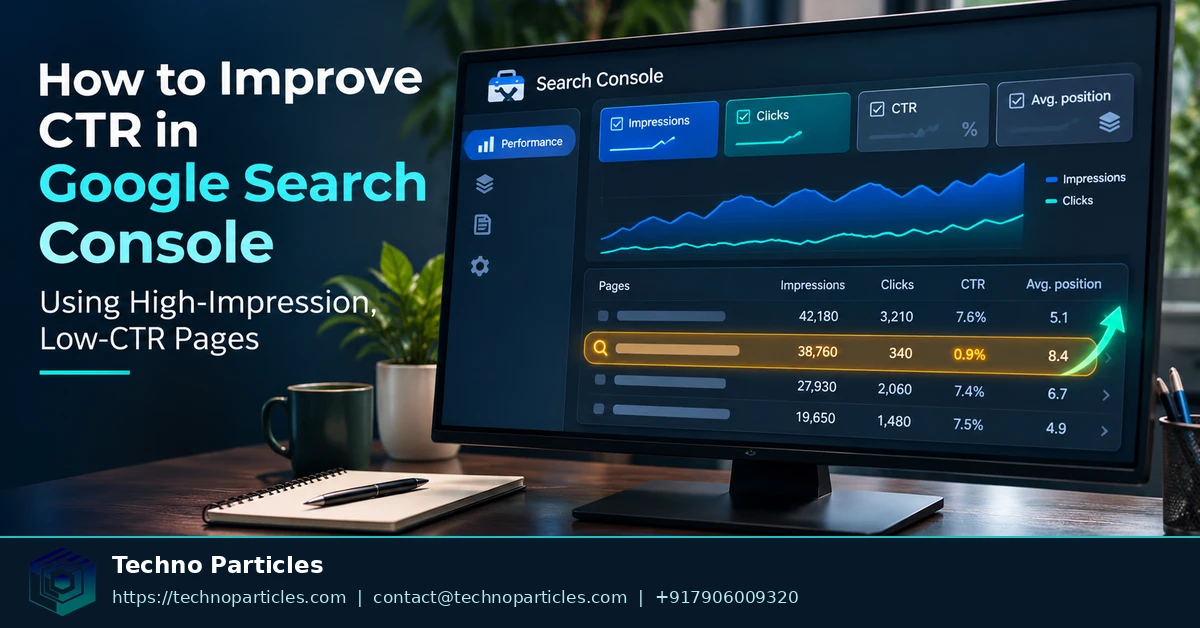
Learning how to improve CTR in Google Search Console starts with finding pages that already appear often but attract too few clicks. Search Console shows impressions, clicks, click-through rate (CTR), average position, queries, pages, countries, devices and search appearance. CTR means clicks divided by impressions.
Google also added a 24-hour Performance report view on December 12, 2024. It provides hourly clicks, impressions, average CTR and average position, plus dimension breakdowns, as Google explains in its official announcement. This makes recent changes easier to inspect, though recent figures can be preliminary.
| Search Console signal | What it tells you | How to use it |
|---|---|---|
| Impressions | How often a result appeared | Find pages with meaningful visibility |
| CTR | Clicks divided by impressions | Spot weak search-result messaging |
| Average position | Average ranking position | Separate visibility problems from message problems |
| Queries and pages | Search terms and landing URLs | Compare intent with the result shown |
What changed in Search Console performance analysis?
The Performance report lets you change date ranges, filter dimensions, compare periods and export visible data. Google’s Performance report documentation describes these controls and the report’s core metrics.
Start with page-level data, then open each page’s query dimension. A page may have strong overall CTR while attracting weak clicks for one important query. Page and property aggregation can also produce different CTR and position values, so compare like with like.
For broader improvement work, connect this analysis with a documented SEO strategy that keeps query intent, page content and measurement aligned.
How to find high-impression, low-CTR pages
Open the Search results Performance report and sort page data by impressions. Then focus on URLs that combine substantial visibility with weak CTR. This narrows the work to pages where a clearer search-result message may influence clicks, instead of pages that rarely appear. Google documents the report’s page, query, date, country, device and search-appearance dimensions in its Performance report guidance.
Move from page totals to query intent
Select one candidate URL and switch to its query view. Look for queries with meaningful impressions, then compare the wording with the page’s title, visible heading and opening content. A low CTR across several closely related queries suggests a broader result-message problem. A low CTR for one query may indicate that the page does not match that searcher’s intent closely enough.
Use filters to isolate branded and non-branded searches, devices, countries or search appearances where relevant. Compare the same page across two date ranges before changing anything. The report supports filtering and comparison, while Google explains that CTR is calculated from clicks divided by impressions in its Performance data analysis.
Choose a page with a fixable problem
Prioritise a page when its queries show a clear topic, its impressions indicate repeated exposure, and its result wording fails to make the benefit or match obvious. Record the selected date range, page URL, leading queries, impressions, clicks, CTR and average position. This baseline lets you judge one targeted change later.
For teams handling many pages, keep the query review tied to a documented search optimisation workflow. That keeps edits connected to intent and page content rather than chasing an unsupported CTR target.

Improve the search result users see
After selecting a high-impression, low-CTR page, inspect the message shown in search results. Google generates title links from several sources, including the HTML title element, visible page title, headings, anchor text and page content. Google may also rewrite the title when another source better represents the page, as explained in its title-link documentation.
Align the title with query intent
Compare the leading queries with the page title and visible heading. Make the topic, audience and outcome clear without adding claims the page does not support. If searches indicate different intents, decide whether the page needs sharper focus or whether another existing page better answers that query.
Keep the important wording consistent across the title, visible heading and opening content. This alignment gives Google clearer signals and gives searchers a more predictable path from result to page. It also makes a title edit meaningful because the change improves relevance, rather than adding attention-grabbing language alone.
Use the description to clarify the click
Google primarily creates snippets from page content, but it may use the meta description when that text better describes the page. Write a distinct description that explains what the page offers and why it matches the query. Google’s snippet guidance notes that descriptions can be truncated and may vary by search.
Review the first visible content as well as the meta description. A description promising a guide, comparison or service must lead to that information immediately. Avoid repeating keywords or making guarantees that the page cannot demonstrate.
For broader search-message work, connect these edits with a documented digital marketing strategy that keeps landing-page content and conversion goals aligned.
Google can still rewrite title links or snippets automatically. Treat the edit as a relevance test, then measure the same page and query segments after enough comparable data accumulates.
Search Console exports have clear measurement limits
Search Console supports two useful export paths, but each serves a different purpose. The Search Console API is free and can support repeatable reporting. Google documents a limit of 50,000 performance rows per day, per search type, for each property. That makes the API useful for scheduled analysis, but it does not create an unlimited archive of every query and URL.
Choose API extraction or direct export
Direct report exports are faster for one-page investigations. Google states that a report export contains up to 1,000 representative table rows, while totals shown in the report can cover more data. Treat that file as an analysis sample, not a complete inventory. The direct export guidance explains this distinction.
For a single high-impression, low-CTR page, record the visible totals first. Then export its filtered query table, including the selected date range and comparison period. For larger sites, save API extracts with the page, query, device, country and search-type dimensions needed for later comparisons.
Build a baseline before editing
Keep one baseline record for each candidate page: impressions, clicks, CTR, average position, leading queries and segment filters. Note the title or description version that was live during the baseline period. This prevents an export limit from becoming a measurement blind spot.
Search Console data can be preliminary, delayed or privacy-filtered. Google also explains that Search Console and Analytics measure different systems, so their traffic totals will not necessarily match. Use Search Console to judge search-result visibility and clicks, then use a documented digital marketing measurement plan for downstream engagement or conversion analysis.
Export rows may be representative rather than exhaustive. Base the edit decision on stable page-level totals and repeated query patterns, not on one missing or unusually small row.

Measure whether a CTR edit worked
Judge a search-result edit against a defined comparison window. Keep the page, search type, country, device and query filters consistent, then compare impressions, clicks, CTR and average position. The Search Console data guide explains how aggregation affects these metrics.
Separate visibility changes from message changes
Impressions show whether the page continued appearing for the selected searches. Clicks show the traffic gained. CTR shows the relationship between those values, while average position helps explain whether ranking movement influenced the result. A CTR increase with similar impressions and position gives stronger evidence that the search-result message improved.
If impressions rise sharply, compare the query mix before judging the edit. New queries can change the page’s average CTR without any improvement for its original audience. Review the page and query dimensions separately, then check device and country segments when those groups behave differently.
Use downstream data for a separate question
Search Console answers whether users clicked the result. Site analytics answers what happened after the visit. Google’s Search Console and Analytics guidance recommends interpreting the systems according to the data each one collects.
Record the edited title or description, publication date, comparison dates and selected filters. Give the page enough comparable observations before making another change. If several pages need review, assign ownership and record the test window in a documented project consultation workflow.
Do not treat a higher CTR as the only success signal. A stronger result can attract more qualified visits, while a misleading promise can increase clicks without improving page outcomes. Check the query intent and downstream engagement together before keeping the new wording.
Choose the next page with a clear decision rule
Select the page that combines meaningful impressions, clear alignment with its leading queries and a search-result message you can improve without changing the page’s core promise. This rule keeps attention on opportunity, not on an arbitrary CTR target. Google does not publish one universal CTR benchmark that fits every query, device, country or position.
Make one targeted change next
For the selected page, record its current title, meta description, impressions, clicks, CTR, average position and leading query patterns. Then make one focused wording change that matches the strongest search intent. Keep the page’s visible heading and opening content consistent with that promise.
This is the practical path for learning how to improve CTR in Google Search Console using high-impression, low-CTR pages: choose one page, preserve a usable baseline and change one search-result message at a time. A focused edit makes later movement easier to interpret than a simultaneous rewrite of the title, description, headings and page copy.
Use the same page and query scope for the follow-up comparison. Keep device, country, search type and date settings consistent unless the original opportunity depended on one specific segment. If the page attracts a different audience after the edit, evaluate that shift separately rather than treating one blended CTR as a final verdict.
Your next step is to export or record the baseline for the strongest candidate, update one targeted title or description element, and schedule a later comparison using the same filters. Keep the change only when it improves click quality as well as the search-result response.



Leave a comment
Your email stays private. You can see your comment immediately on this browser. Others see it after approval.