
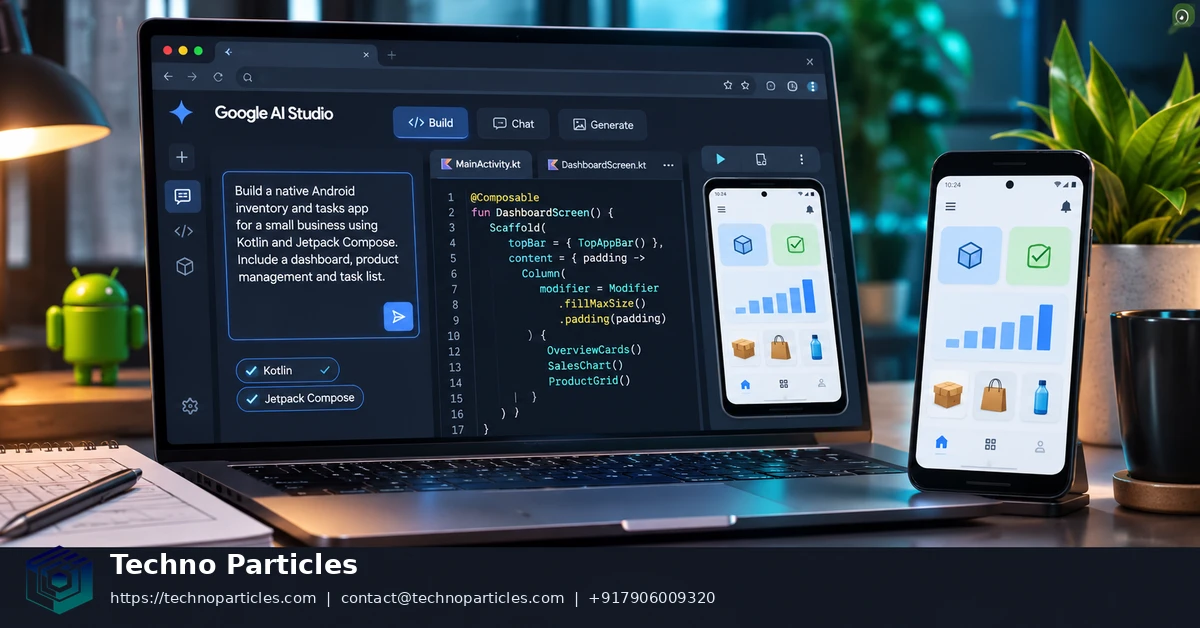
Google AI Studio now lets people turn a focused business idea into a native Android project through prompts. The workflow generates Kotlin and Jetpack Compose code, previews it in a browser-based Android emulator, and supports project download for further development.
Google announced native Android building on May 19, 2026, at Google I/O. On October 13, 2026, Google Play announced a separate personal-app path for eligible users in select markets, including private installation without a developer account. These paths support testing and personal use, not automatic public Play Store launch.
| Capability | What Google AI Studio provides | Important boundary |
|---|---|---|
| Project generation | Kotlin, Jetpack Compose, Gradle structure, ViewModels and resources | Single-activity, single-module Android projects |
| Preview and testing | Browser emulator and physical-device installation through WebUSB and ADB | Camera, NFC, Bluetooth, real GPS and Google Play services are unavailable in the emulator |
| Distribution | ZIP export, Play internal testing and select-market private installation | Private installation differs from public Play release |
Build a native Android app for your business idea with Google AI Studio: what changed
The main change is a shorter path from product idea to runnable Android prototype. Google’s May 19, 2026 announcement describes prompt-based Android creation, browser preview, ADB support and a route toward Play internal testing.
The later October 13, 2026 Google Play update adds private installation for personal Android apps in supported markets. Users must meet rollout and age requirements, and availability can vary by country, account and device.
For a business, this makes early validation faster. A narrow customer journey, internal utility or local-first prototype can reach a device before a full development cycle begins. Teams needing authentication, shared cloud data, payments or complex integrations still need a fuller application development workflow.
How to build a native Android app for your business idea with Google AI Studio
Start with one user journey rather than a complete product brief. In Google AI Studio’s Build mode, choose Android as the target and describe the users, screens, actions, stored information, and success condition. The official Android builder documentation describes a workflow that turns this prompt into a Kotlin and Jetpack Compose project.
Turn the business idea into a testable prompt
A useful prompt might define an inventory app for a small sales team: add an item, search the list, edit its status, and show a simple summary. State which information should remain available between sessions, what each screen should display, and what should happen after an invalid input. This gives the generated app concrete behavior to implement and review.
Use short follow-up prompts for targeted changes, such as renaming a field, adding an empty state, improving navigation, or adjusting the layout for a tablet. Google AI Studio also supports prompt experimentation and model settings through its AI Studio quickstart workflow. Keeping each request narrow makes it easier to identify whether a change improved the intended user journey.
Preview, export, and test the first build
Run the result in the browser-based Android emulator to inspect navigation, layout, input handling, and local behavior. When the prototype is useful enough for developer review, download the project as a ZIP and continue with the generated source. The Android workflow can also install an APK on a connected physical device through browser-based WebUSB and ADB support.
Before expanding the scope, compare the prototype with the original business rule: can a target user complete the main task without explanation, and does the app preserve the expected state after reopening? Human review remains necessary for generated code, security decisions, accessibility, device compatibility, and any later production release. Teams that need structured discovery or a broader delivery plan may use a relevant project consultation service alongside the prototype review.

What the generated Android project includes
Google AI Studio produces a conventional native Android starting point rather than a web page wrapped inside an app. The generated project uses Kotlin, Jetpack Compose and a Gradle-based structure, with managed dependencies and Android resources. Google’s Android builder documentation describes the output as a single-activity project organized around composable screens and supporting application code.
Compose screens with familiar Android building blocks
For a business prototype, this structure can make the generated source easier for an Android developer to inspect. UI is represented through Jetpack Compose, while ViewModels can hold screen state and coordinate actions. Data classes provide defined shapes for records such as products, appointments or customer requests, and resources keep Android-specific values separate from the screen code. Material 3 components can supply a consistent starting visual language without requiring every control to be designed from scratch.
The result is best treated as an initial codebase for a focused product experiment. A team can download the project, inspect its Gradle configuration and continue development within a broader native application development process when the prototype proves useful.
Important architecture boundaries
The Android builder currently targets phone and tablet applications built as single-activity, single-module projects. Its supported stack is Kotlin with Jetpack Compose. Java source, XML layouts, the NDK, C++, Wear OS and Android TV are outside this workflow, as are multi-module architectures.
That boundary matters when choosing the first idea to build. A self-contained inventory mockup, calculator, guided form or local workflow can fit the generated structure well. An app that already requires several independently deployable modules, specialized native code or a different Android UI stack should be planned in a fuller development environment from the beginning.
Availability, pricing and Android distribution choices
Google AI Studio access is listed as free in available regions, but this does not make every Gemini-powered workflow free. API calls can use free or paid tiers, with model pricing and rate limits determined by Google’s current Gemini API pricing rules. Teams should confirm quotas before building a workflow that depends on repeated generation or production traffic.
Distribution now has two separate paths. Google Play announced on October 13, 2026, that eligible users can create and privately install personal Android apps through Google AI Studio without a developer account. The rollout began in select markets, including the United States, for users aged 18 and over. This is private installation, not a public Play Store launch, and availability depends on Google’s rollout and account conditions. See the Google Play announcement for the stated eligibility details.
Businesses that need controlled team distribution should use Google Play internal testing instead. Google’s I/O announcement describes AI Studio support for sending apps to that testing track, while the Android workflow documentation identifies the developer-account requirement and associated registration process. Internal testing suits review by invited testers; private installation suits personal apps and early individual use.
Choose distribution after defining the audience
For a solo founder validating a local utility, private installation may remove an early account barrier where the feature is available. For a business testing an app with staff, clients or contractors, internal testing gives the release process a clearer access boundary. Teams planning production distribution should also budget for code review, privacy checks, device testing and release compliance.
If the decision affects a wider product roadmap, a focused project consultation process can help separate prototype costs from later backend, security and release work.

Where the Android workflow stops
Google AI Studio can shorten the path from business idea to working Android prototype, but browser preview cannot prove that every device feature works. Google describes browser-based emulator testing and ADB support for installing builds on physical Android devices in its Google I/O 2026 announcement. Use the emulator for screens, navigation and basic interaction. Move to a physical device before trusting hardware-dependent behaviour.
Client-side prototypes need separate backend planning
The generated Android workflow is client-side only. It does not provide a complete server layer for authentication, shared cloud data, multiplayer state, Firebase integration, Google Workspace APIs or protected secrets. A local catalogue, guided form, calculator or internal interface can fit this boundary. A customer platform that stores accounts, payments or shared records needs backend architecture, access control and deployment work outside the generated project.
This boundary also changes how you evaluate an early business idea. Test whether one user can complete the core journey with realistic, non-sensitive data. Then identify every action that must persist across devices or users. Those actions belong in a service design, not only in Compose screens. A broader application development process can address that transition when the prototype moves toward production.
Hardware and platform gaps affect test coverage
- The browser emulator does not capture real camera input.
- NFC, Bluetooth and real GPS behaviour require testing outside the browser.
- GPS in the emulator is simulated.
- Google Play services behaviour cannot be validated through the browser emulator.
Therefore, a successful preview means only that the supported prototype flow runs in that test environment. It does not confirm camera permissions, location accuracy, Bluetooth pairing, NFC handling or Play-services integration. Test those paths on the Android devices and services your intended users will actually use.
Make the first-build decision by scope
Use Google AI Studio to build a native Android app for your business idea when one focused, client-side user journey can prove whether the idea deserves further investment. This fits prototypes such as guided forms, calculators, local catalogues, simple workflow tools and interface concepts. Kotlin and Jetpack Compose give the result a conventional Android foundation, while browser preview keeps early iteration fast.
Choose a fuller Android development workflow when the product depends on backend services, shared data, authentication, protected secrets, payments, multiplayer state, specialised hardware or a complex release structure. Those needs change the engineering problem. They require architecture, security controls, service deployment, device coverage and release preparation beyond a generated client project. The key question is not whether Google AI Studio can produce screens. It is whether the smallest useful test can run without those systems.
Apply one rule: use Google AI Studio for focused validation; move to a broader development process when production dependencies define the product rather than support it. This keeps the first experiment proportional to the decision it must answer.
Next step: define one user journey from its first input to its final result, then build only that path in Google AI Studio and install it on a physical Android device. Test the journey with realistic but non-sensitive data. Record where the experience breaks, which information must persist, and which device behaviour matters. Expand scope only after the prototype proves that the journey is understandable and useful on the intended device.


Leave a comment
Your email stays private. You can see your comment immediately on this browser. Others see it after approval.